User guide
7. Translation Editor (segment by segment)
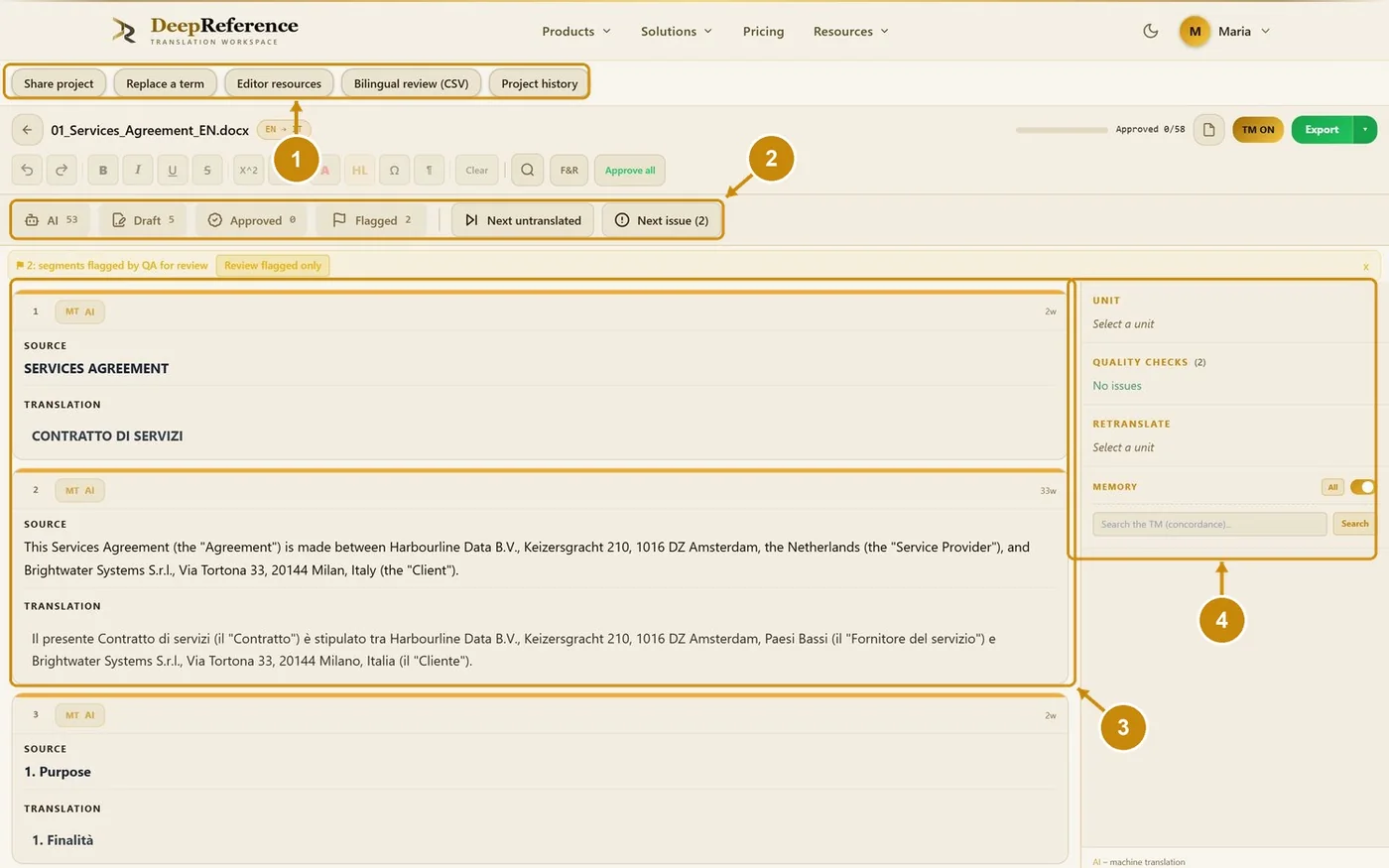
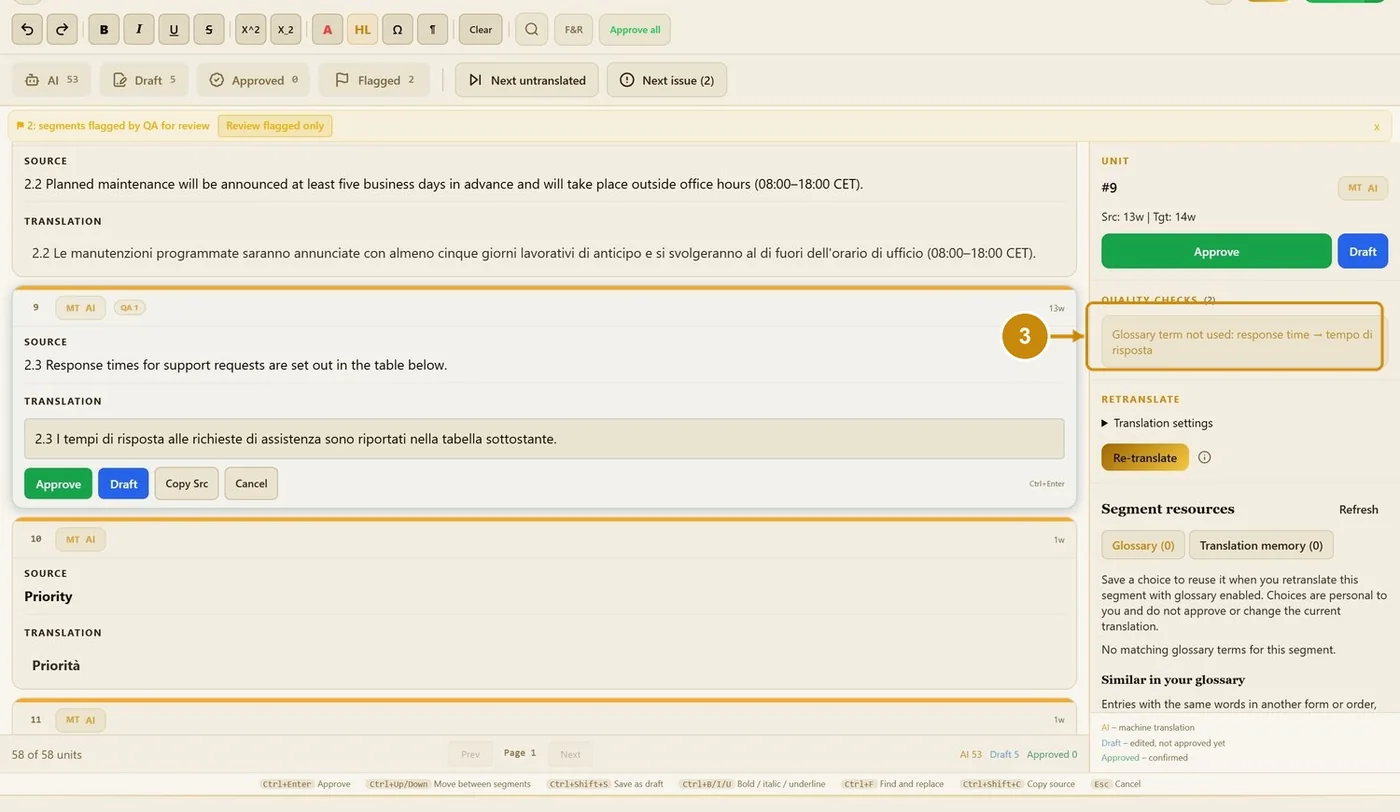
Open it from the finished job, or from Recent documents → Open → Translation Editor. Each segment shows its origin: AI (machine translation), Draft (edited, not approved), 100% TM, or Approved. The editor has four areas:
Project tools.
Status counters and navigation.
Segments: the source and its translation.
Side panel: unit, quality checks, re-translate, resources and memory.
7.1 Edit and approve
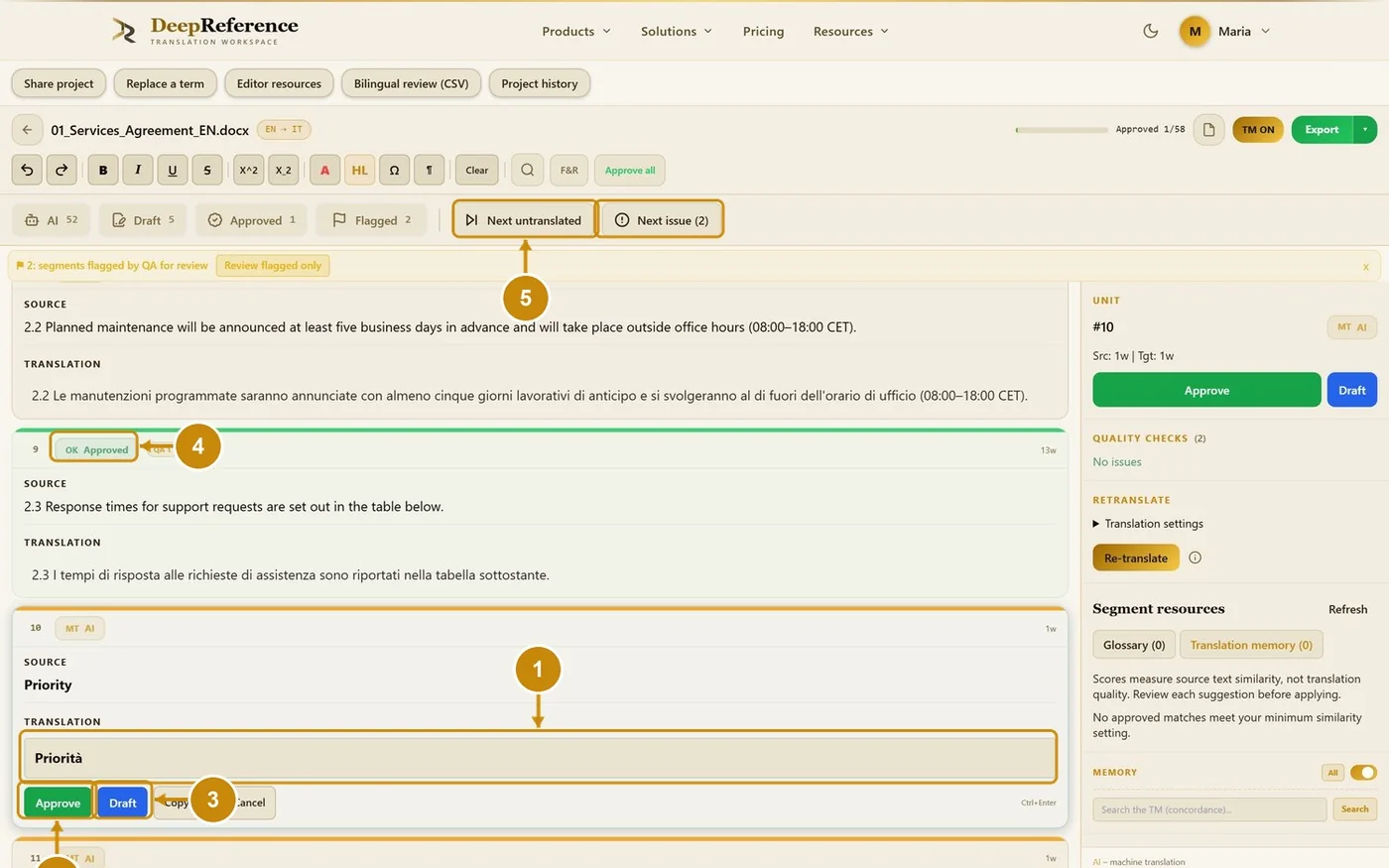
Click a translation to edit it.
Click Approve (Ctrl+Enter). The segment is confirmed and saved to your TM.
Or click Draft (Ctrl+Shift+S) to keep it unapproved.
Approved segments turn green.
Next untranslated and Next issue jump through the document.
7.2 Side panel
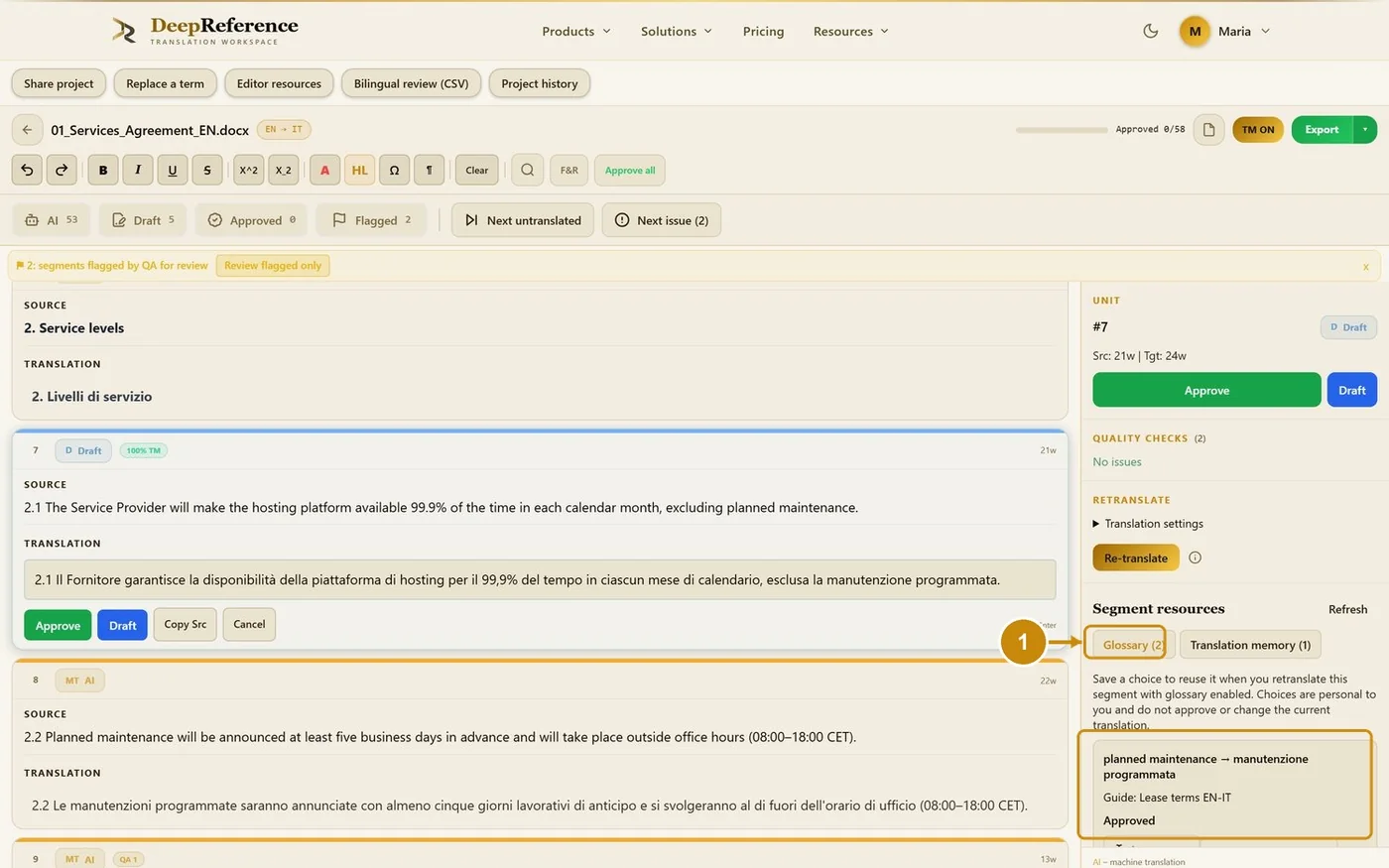
Segment resources → Glossary lists the glossary terms of the segment.
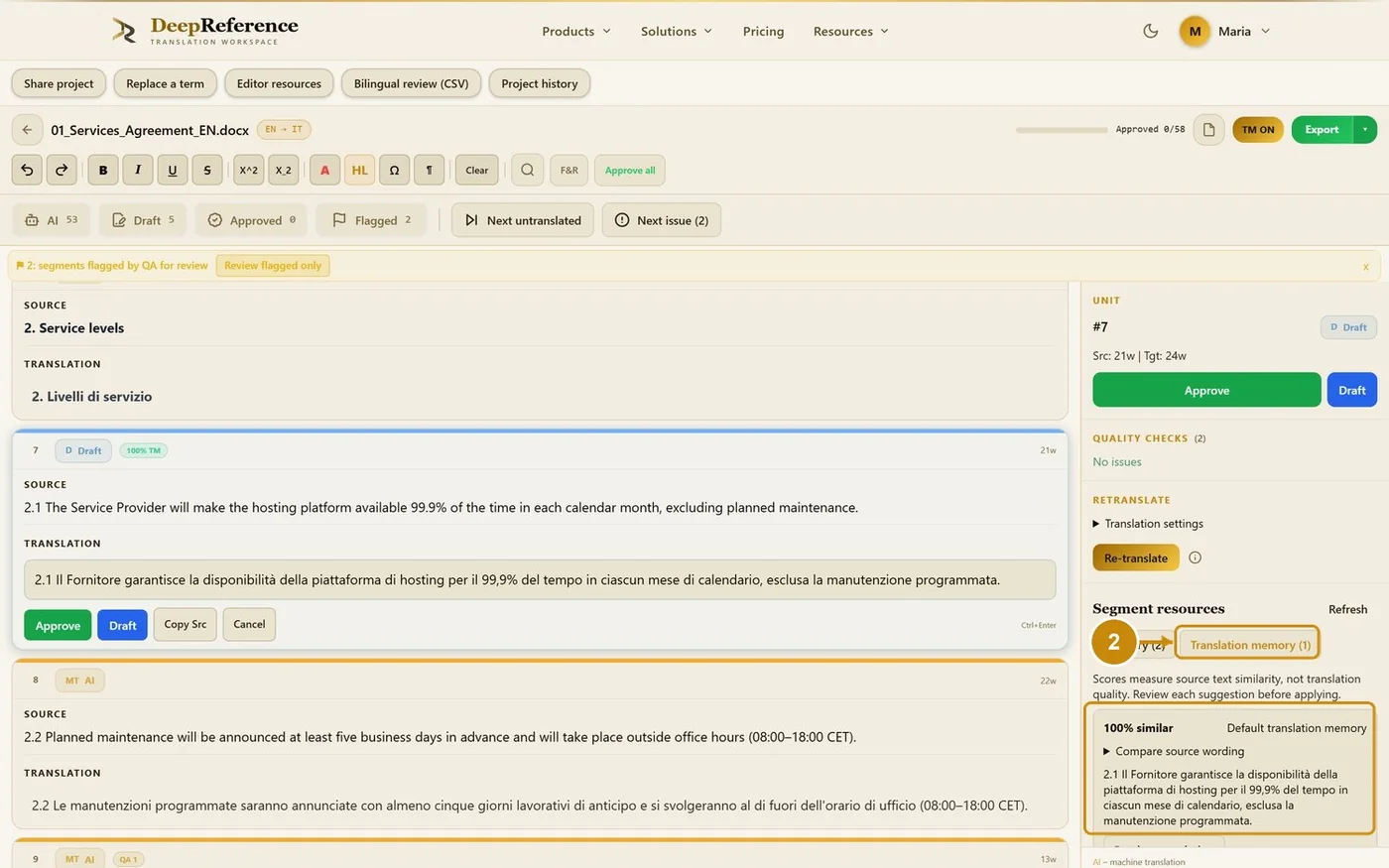
Segment resources → Translation memory lists the TM matches.
Quality checks lists the issues of the segment, for example a glossary term not used.
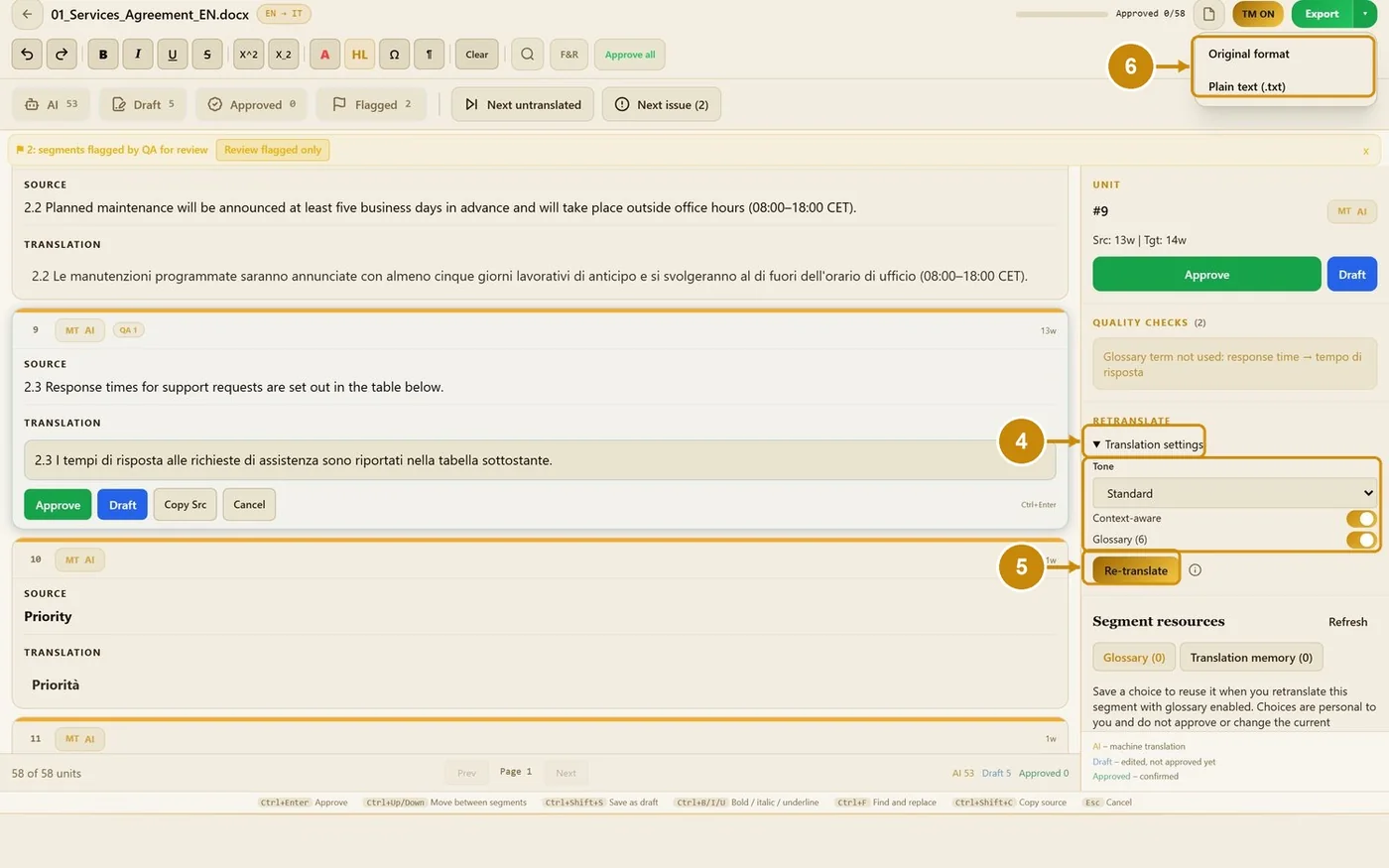
Open Translation settings to change the tone, context and glossary of one segment.
Click Re-translate.
Export (top right) downloads the document: Original format or Plain text.
7.3 Project tools
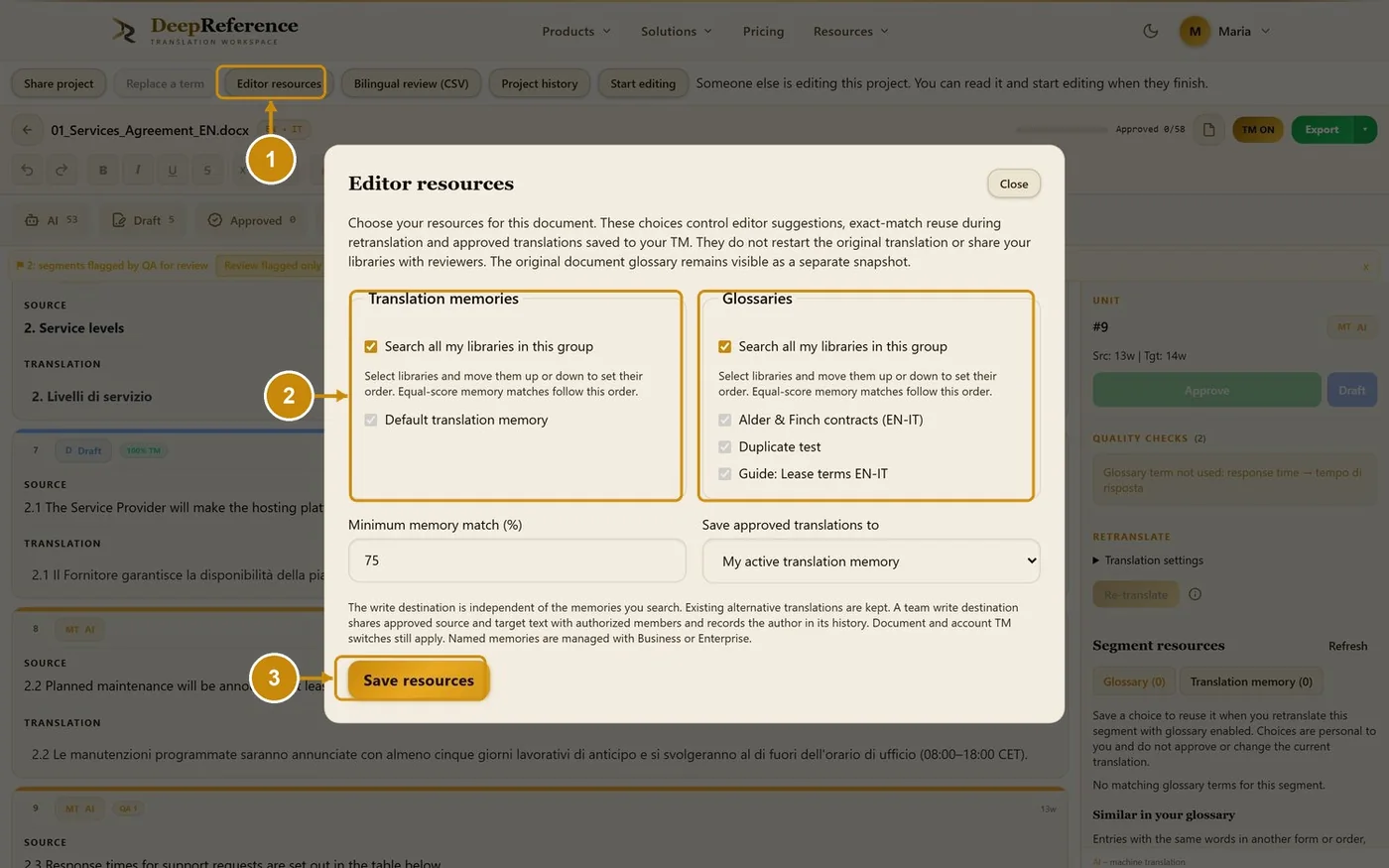
Click Editor resources.
Tick the memories and glossaries that feed the suggestions for this document.
Click Save resources.
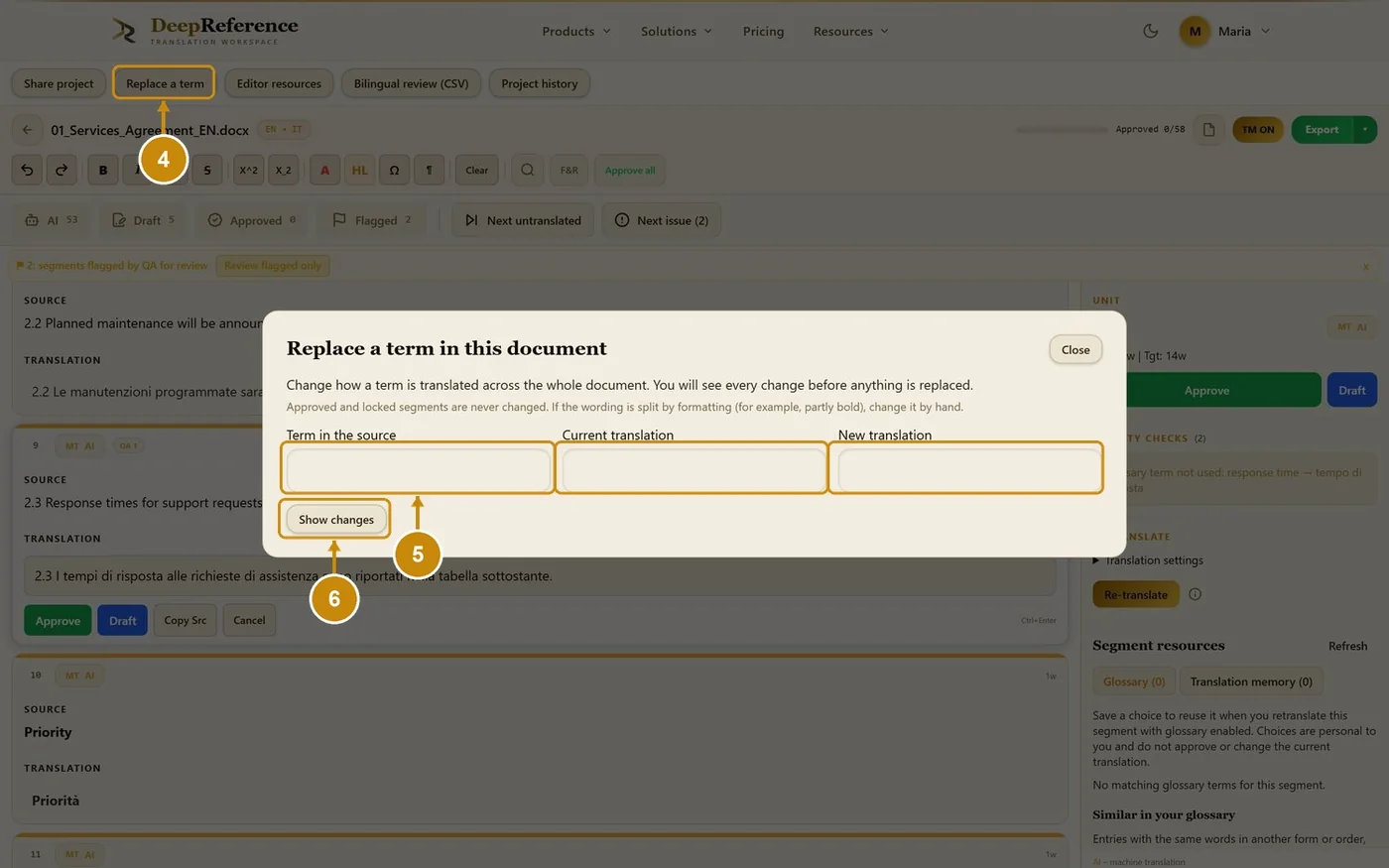
Click Replace a term to change how one term is translated in the whole document.
Type the term in the source, the current translation and the new translation.
Click Show changes. Nothing changes until you confirm; approved and locked segments are never changed.
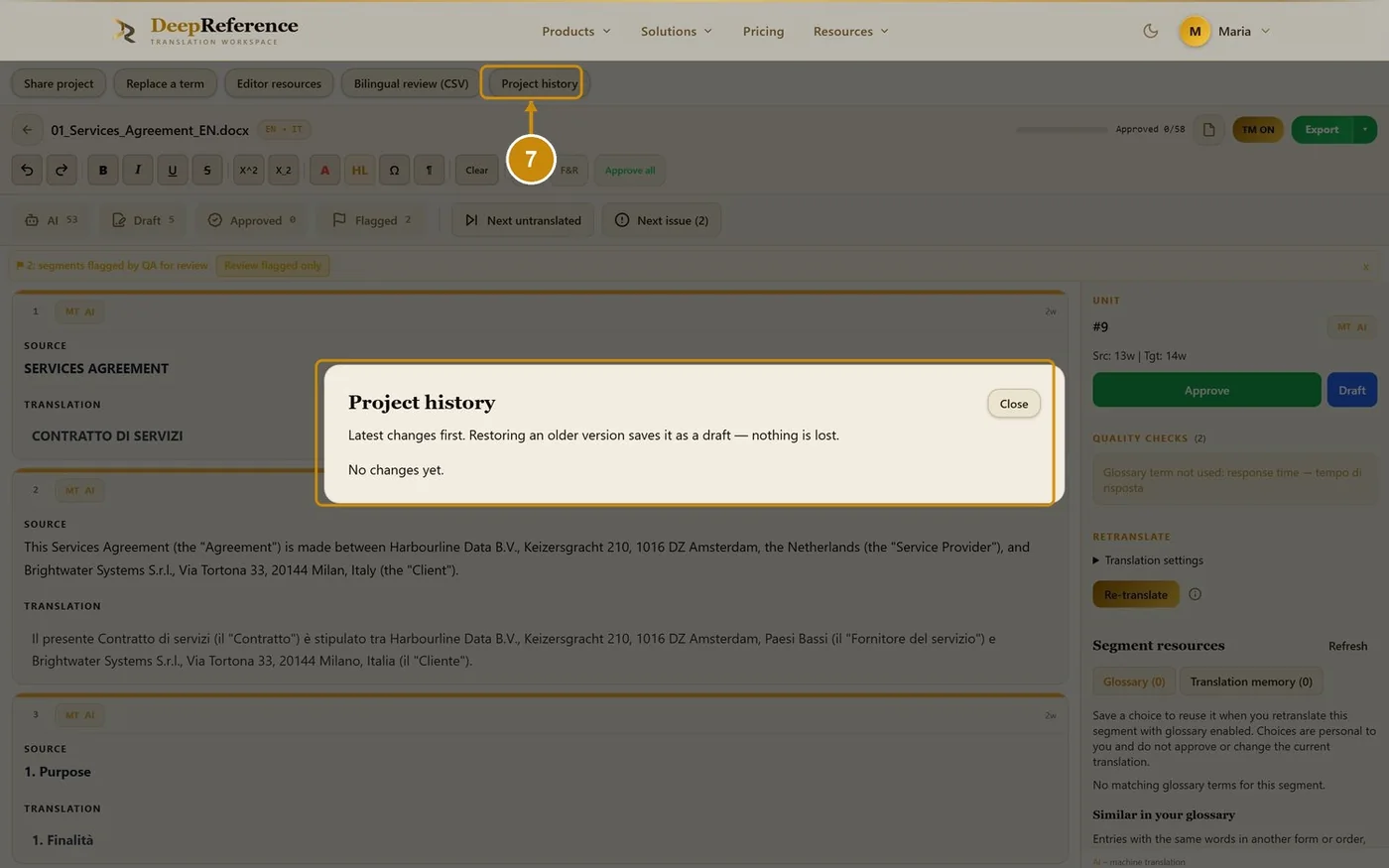
Click Project history to see every saved version. Restoring an older one saves it as a draft.
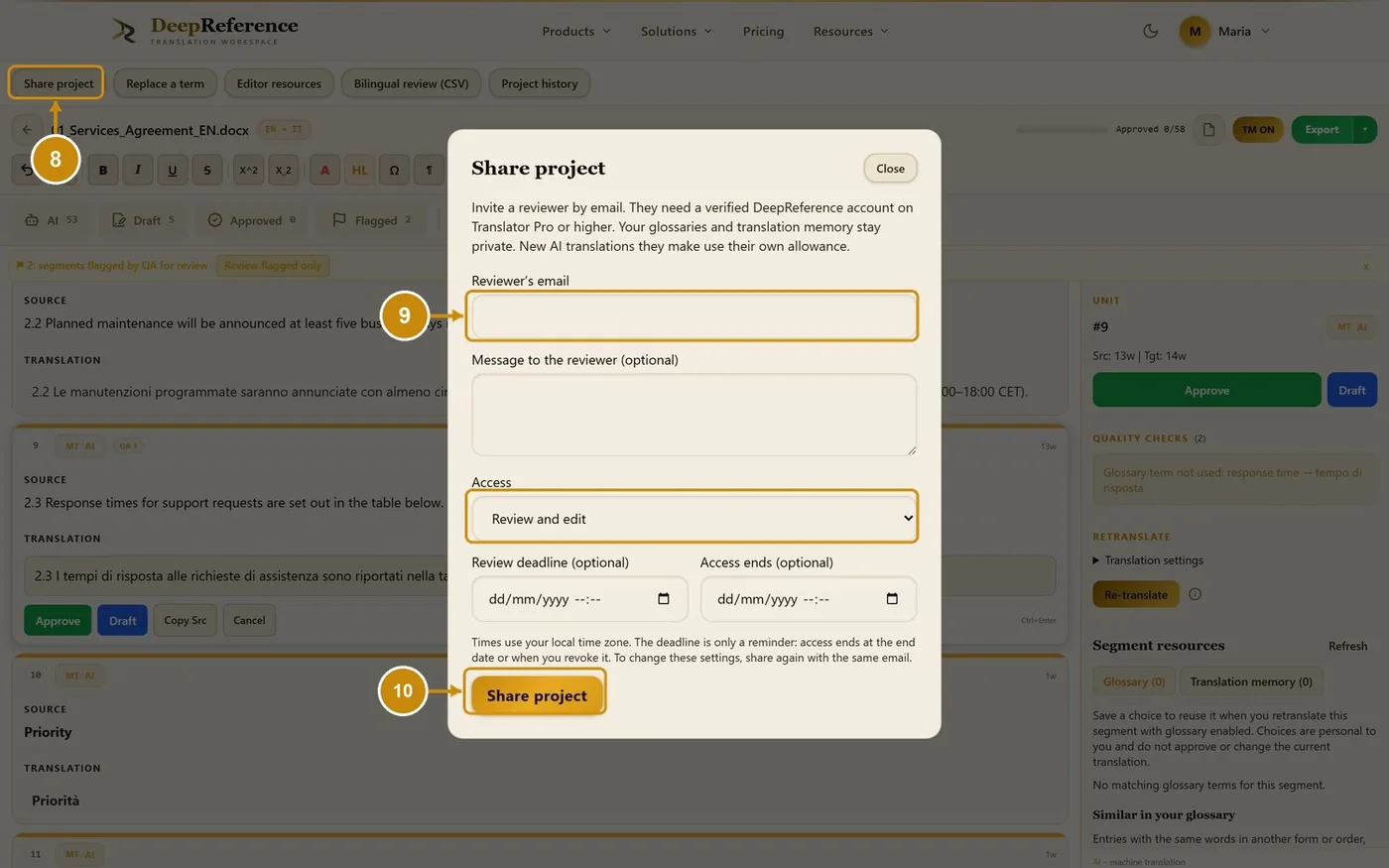
Click Share project.
Type the reviewer's email and choose the access (review and edit, or view and download).
Click Share project.
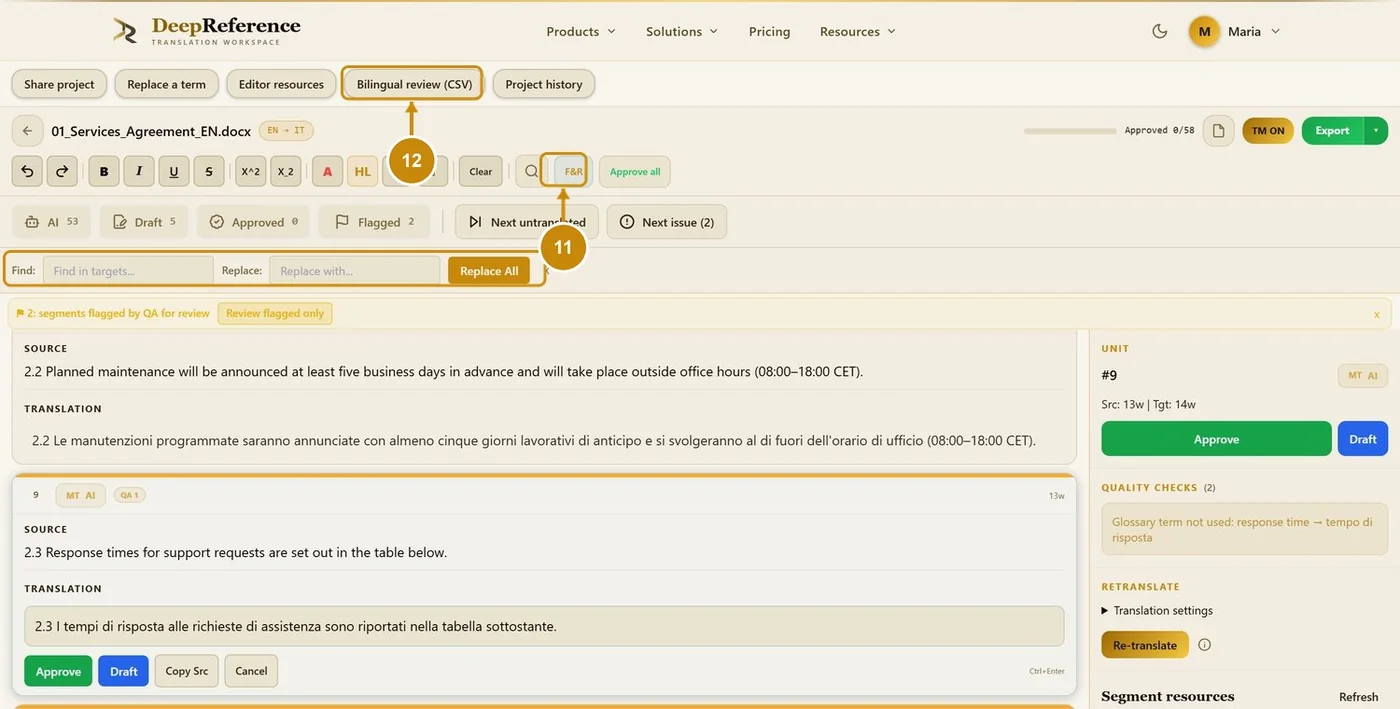
Click F&R to find and replace inside the translations.
Bilingual review (CSV) downloads a two-column file for an external reviewer.
Only one person edits a project at a time. If it is open elsewhere you see "Someone else is editing this project" and can still read it; click Start editing when the other session has finished.