Glossary & Termbase
Record the words your organisation has already decided on, apply them during translation, and turn terminology found in real documents into a reviewed language asset.
See it in the workspace
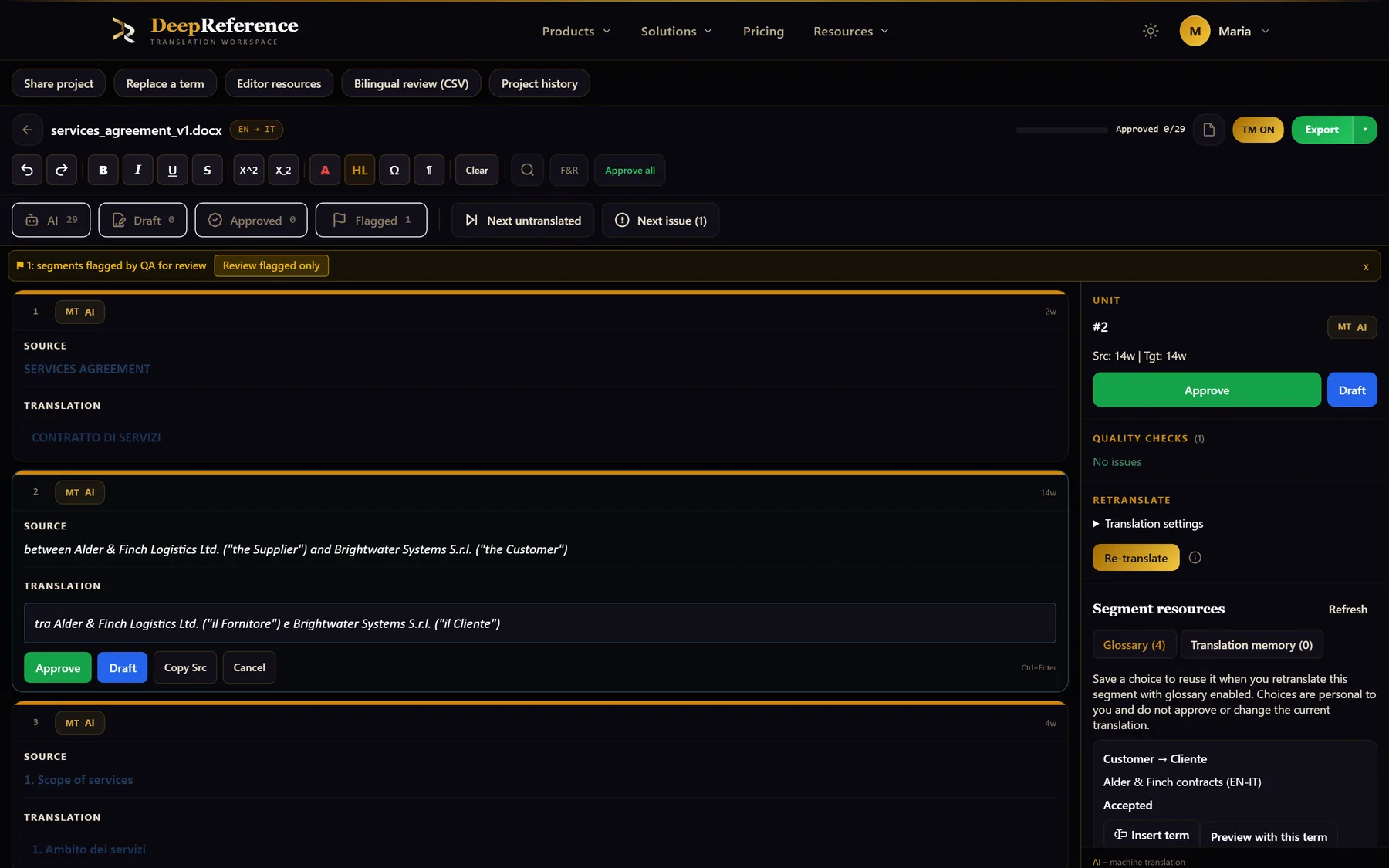
Screenshots from DeepReference. The sample contract is between two fictional companies.
Capabilities
What you can do here
Quality controls
The controls shown on this page are part of the working product, with plan access noted in the documentation.
Create terms or import them
Add source-target pairs by hand or upload CSV, XLSX, or TBX terminology, with a sample file available when you need the expected structure.
Only relevant terms are applied
DeepReference finds glossary entries that occur in the current source and sends those decisions with the translation instead of flooding every request with the full list.
Instructions and verification
The translation request includes the approved target wording, and the quality check flags any segment where it is missing. Review those segments before delivery.
Configurable source matching
Choose case-sensitive matching and source word-form matching. Matched terms use the approved target wording; these controls do not enable a relaxed target-translation mode.
Terminology extraction
Extract candidate terms from a source document or a source-translation pair, including proposed translations and occurrence counts.
A reviewed termbase
Approve or reject extracted candidates, promote useful terms into a glossary, and use approved termbase entries in smart suggestions.
Forbidden terms
Keep words that must not appear in the target on a separate list; the quality check flags them in the translation.
Several assets for teams
Business and Enterprise workspaces can separate named termbases and glossaries by client, product, language pair, or confidentiality requirement.
Where it helps
Glossary & Termbase
- Legal and regulatory terminology
- Medical and pharmaceutical vocabulary
- Product names, parts, and model codes
- Brand language and approved marketing terms
- Technical concepts across manuals and specifications
- Client-specific terminology that must stay separate
A practical workflow
How the work moves
Create, import, or extract
Start from an existing terminology file, add decided translations yourself, or extract candidates from documents you already work with.
Review what belongs
Approve useful candidates, correct their target wording, reject noise, and promote finished terms into the glossary you translate with.
Activate the right asset
Choose the glossary for a text or document job. Team workspaces can select the appropriate named termbase or memory for the client.
Check and maintain
Use editor QA and smart suggestions during review, then update or remove entries as products, regulations, and client decisions change.
Put it to work
Open the dashboard to start a translation, or read the detailed guide first.