Word Document Translation
Translate a Word document and get a DOCX back with its styles, tables, and structure intact — then read the result in its real page layout before you send it.
See it in the workspace
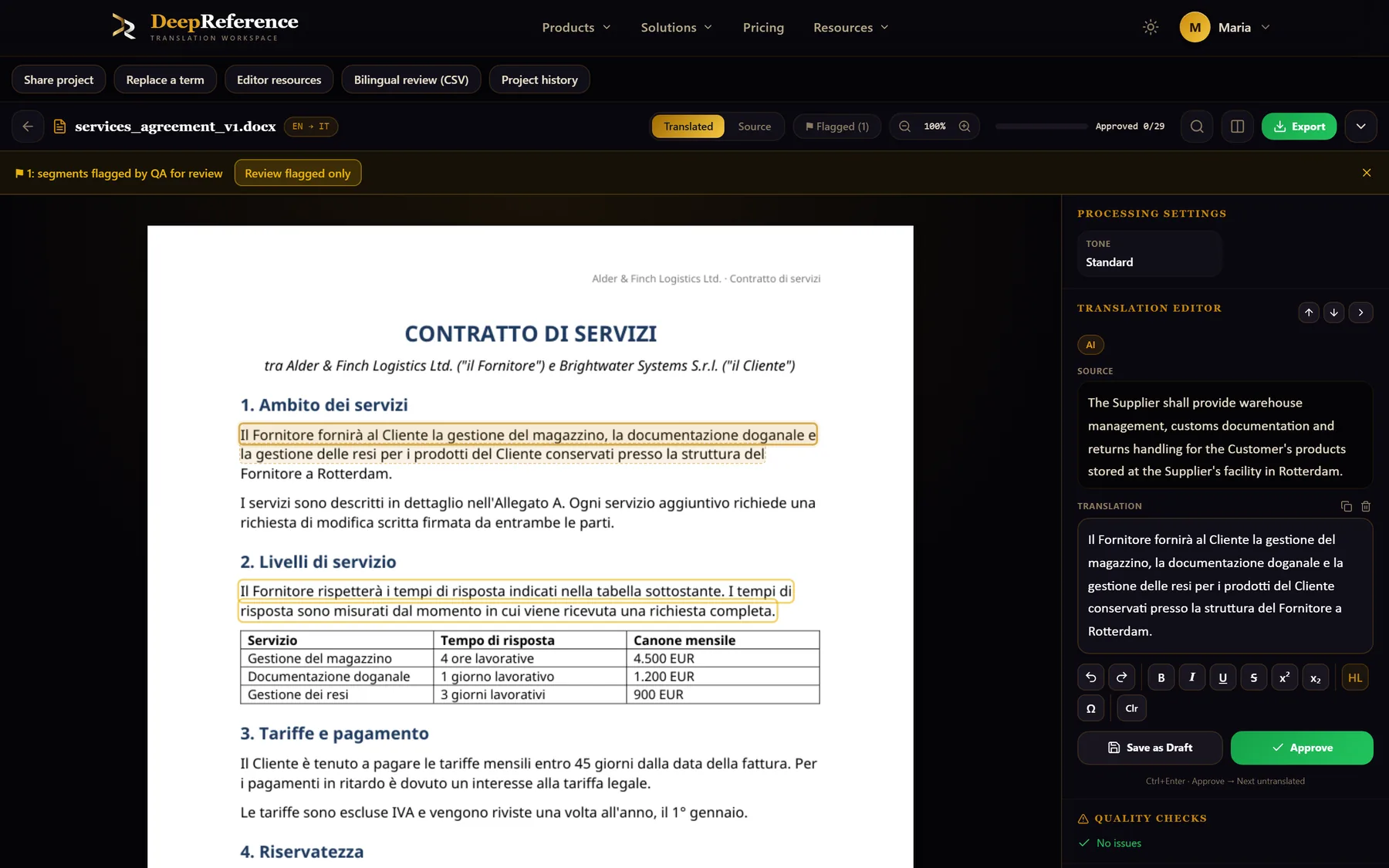
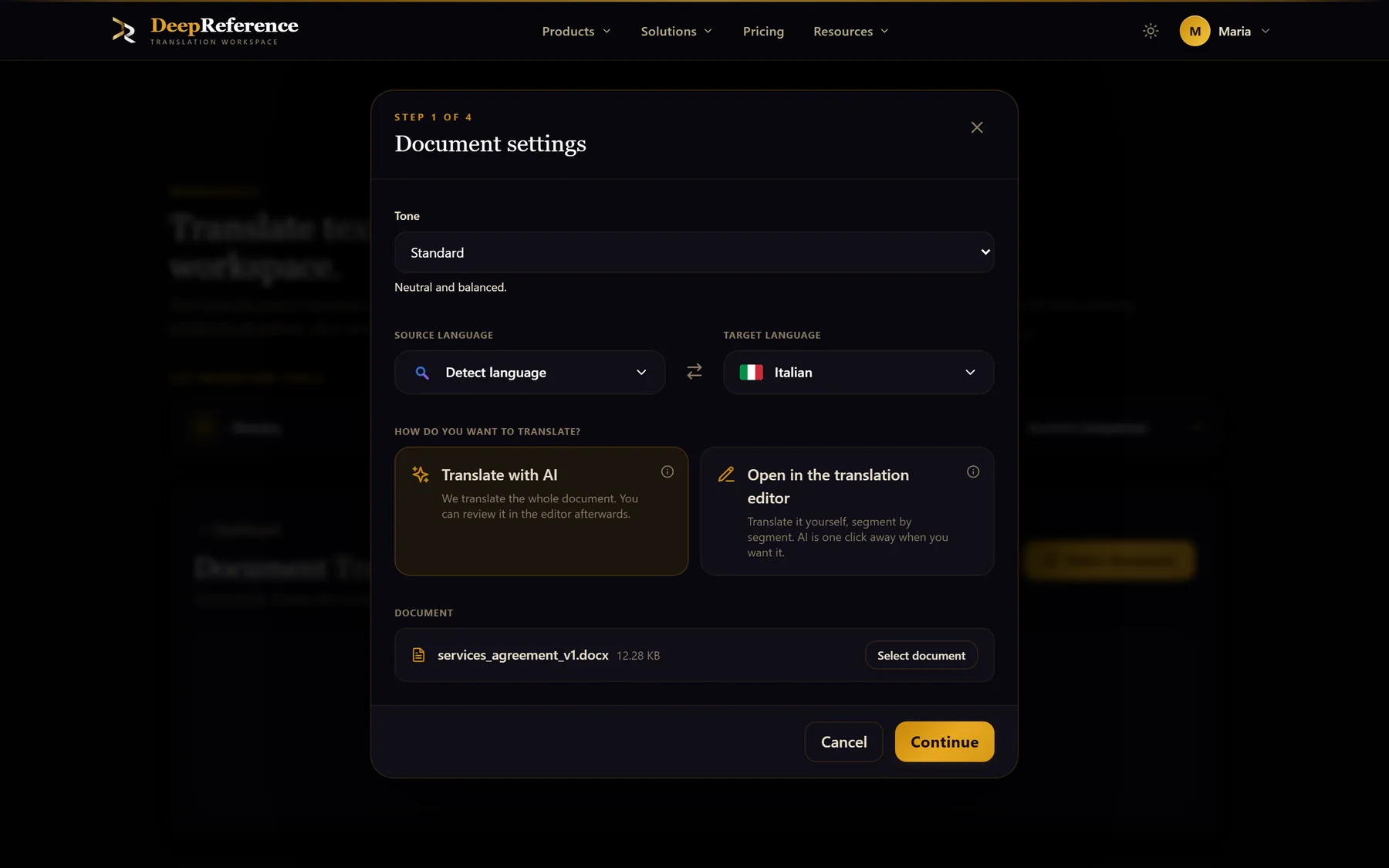
Screenshots from DeepReference. The sample contract is between two fictional companies.
Capabilities
What you can do here
Quality controls
The controls shown on this page are part of the working product, with plan access noted in the documentation.
The formatting comes with it
Headings, lists, tables, images, headers, and footers are carried through the rebuild while the text inside them is replaced.
Review in the rendered page
The Document Editor shows a translated DOCX as a laid-out page, with tables, styles, and images in view, so you catch what a plain segment list hides.
Segment-level control
The Translation Editor works through the file unit by unit with source, target, terminology, and quality warnings side by side, and tracks MT, Draft, and Approved states.
Inline formatting survives editing
Bold, italic, underline, strikethrough, super- and subscript, colour, and highlights can be edited without breaking on export.
Reuse what you have approved
Exact translation memory matches are reused automatically and cost no billable words; glossary terms are applied as the job runs.
Translate only what changed
Revision comparison diffs two DOCX versions, keeps the translations you already approved, and sends only the changed content for translation.
Where it helps
Word Document Translation
- Contracts, policies, and internal agreements
- Technical manuals kept under version control
- Reports and publications that go through review
- Templates and forms with fixed layouts
- Documents revised repeatedly across languages
- Anything that will be edited again after translation
A practical workflow
How the work moves
Upload the DOCX
Add the file and set source and target languages, or let the source be detected.
Set it up once
Apply a saved preset, or choose tone, glossary, and memory for this document.
Review the translation
Work through segments in the Translation Editor, or read the whole file in the Document Editor in its rendered layout.
Export
Download the rebuilt DOCX, or export to text when a different format is needed.
Related pages
PDF Translation
Translate PDFs with selectable text and get a rebuilt PDF that follows the source layout where possible. Scans need OCR first and must be saved as searchable PDFs.
Document Translation
Upload a working document, translate its content with your project settings, and receive a rebuilt file instead of a loose block of translated text.
Put it to work
Open the dashboard to start a translation, or read the detailed guide first.