Translation Editor
Work through a translated document segment by segment, with the source, target, terminology, earlier decisions, and quality warnings in one place.
See it in the workspace
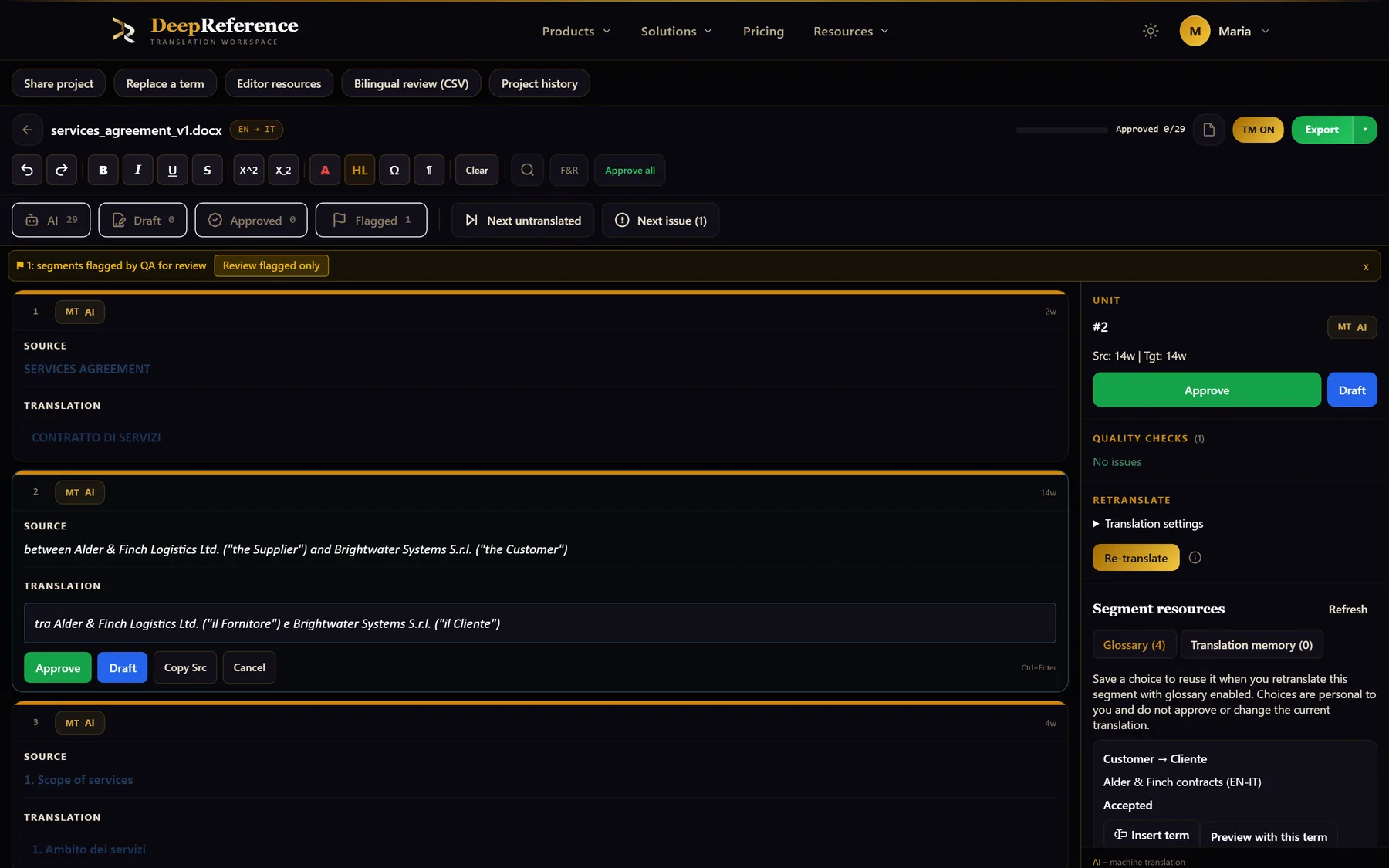
Screenshots from DeepReference. The sample contract is between two fictional companies.
Capabilities
What you can do here
Quality controls
The controls shown on this page are part of the working product, with plan access noted in the documentation.
A clear review queue
See MT, Draft, and Approved states at a glance; combine status filters, show flagged units only, or jump to the next untranslated segment or QA issue.
Formatting that survives export
Edit bold, italic, underline, strikethrough, super- and subscript, font colour, highlights, special characters, and document control marks.
Quality checks beside the text
Flag empty targets, number and punctuation differences, glossary misses, tag and placeholder problems, unusual length, inconsistent translations, numbering, and RTL risks.
Glossary and termbase help
See terms found in the current source, check adherence, and accept smart completions from your glossary or approved termbase as you type.
Translation-memory matches
Apply exact or fuzzy matches, auto-fill 100% matches when you choose, search concordance, and save approved segments back to memory.
Per-segment retranslation
Try another tone or context setting for one segment and compare the suggestion before replacing your current target.
Document-wide tools
Search source or target text, replace across all targets, copy source into target, and move through large files with keyboard shortcuts.
Review records and export
Team plans add comments and history. When the review is done, export the rebuilt document, plain text, or retrieve the original.
Where it helps
Translation Editor
- Professional post-editing
- Translator and proofreader hand-off
- Client or subject-matter review
- Terminology and consistency validation
- Large-document QA and correction
- Building an approved translation memory
A practical workflow
How the work moves
Open a processed document
Choose Translation editor from the document row. Your previous position is restored when you return.
Build the queue you need
Filter by MT, Draft, Approved, or Flagged, then use the jump controls instead of searching through the document by hand.
Edit with evidence nearby
Correct the target while checking QA, matched terms, memory results, concordance, and alternative retranslations in the side panel.
Approve and export
Approve each finished segment to preserve the decision in TM, then rebuild and download the document when the review is complete.
Put it to work
Open the dashboard to start a translation, or read the detailed guide first.