User guide
10. Settings and Custom List
10.1 Settings
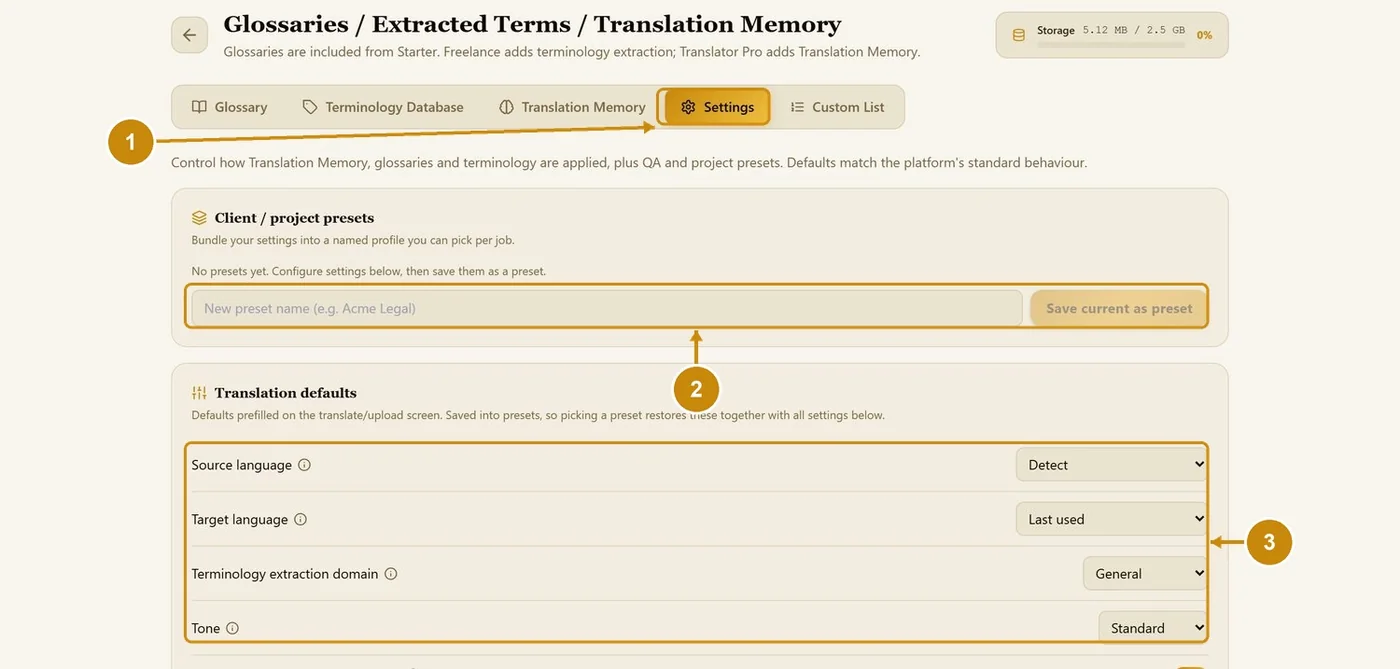
Open the Settings tab.
To save everything as a client or project preset, type a name and click Save current as preset.
Set the translation defaults: source and target language, extraction domain and tone.
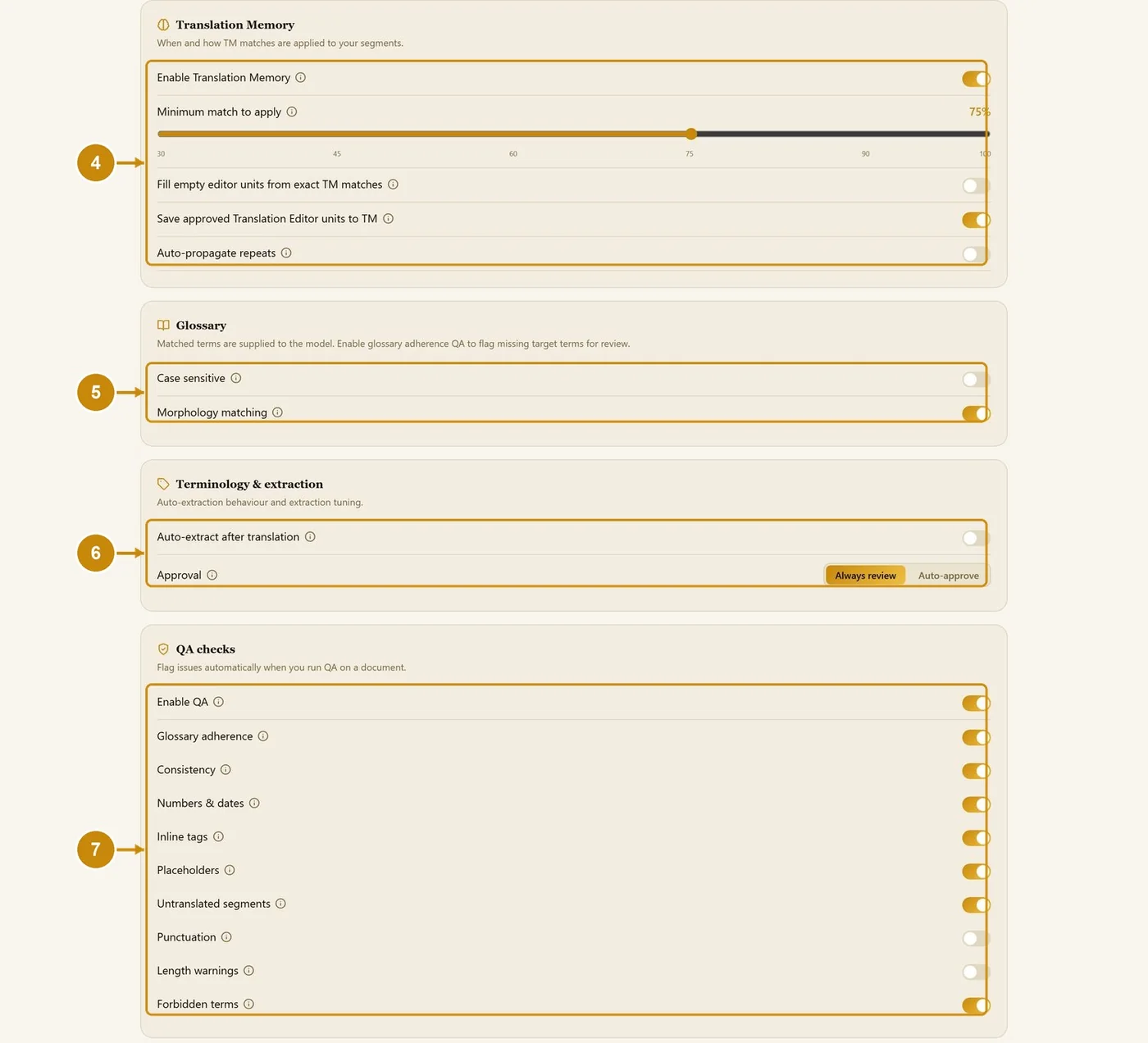
Translation Memory: on/off, minimum match (default 75%), fill exact matches, save approved units, auto-propagate repeats.
Glossary: case-sensitive and morphology matching.
Terminology & extraction: auto-extract after translation; approval Always review or Auto-approve.
QA checks: choose which checks run.
Click Save settings at the bottom of the page to keep your changes.
10.2 Custom List
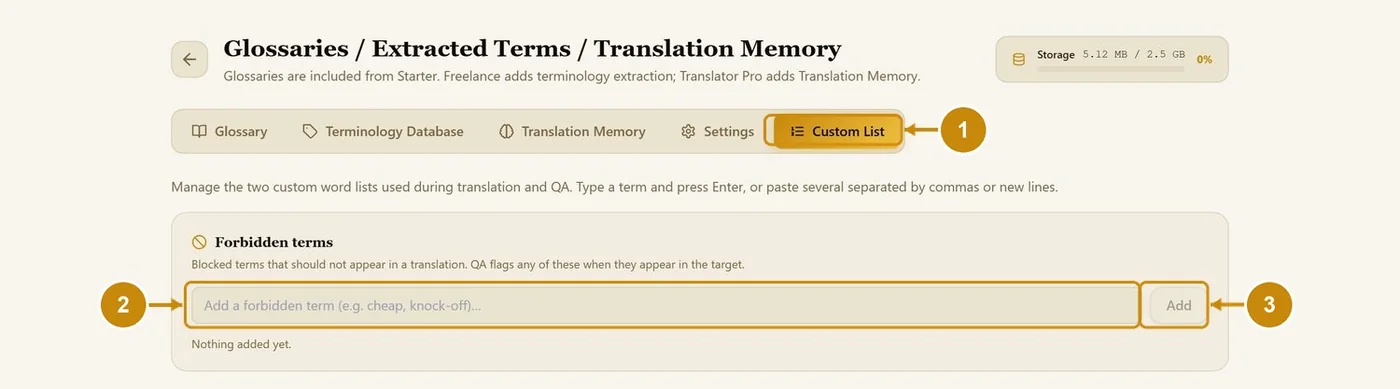
Custom List holds your forbidden terms: words that must never appear in a translation. QA flags them in every document.
Open the Custom List tab.
Type a forbidden term (or paste several separated by commas).
Click Add (or press Enter).