User guide
6. Document translation
1
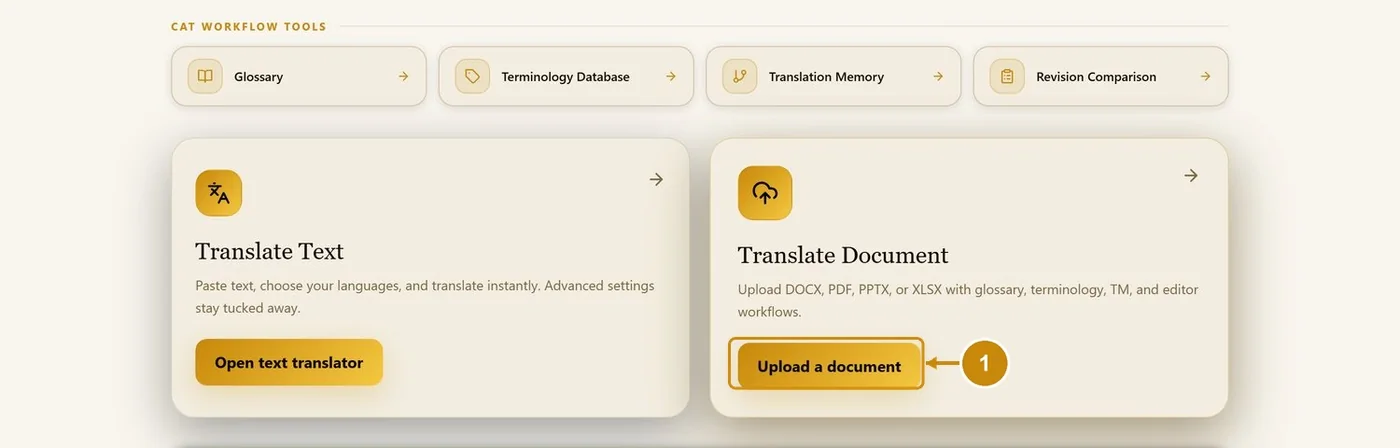
In the workspace, click Upload a document (or drop the file there).
2
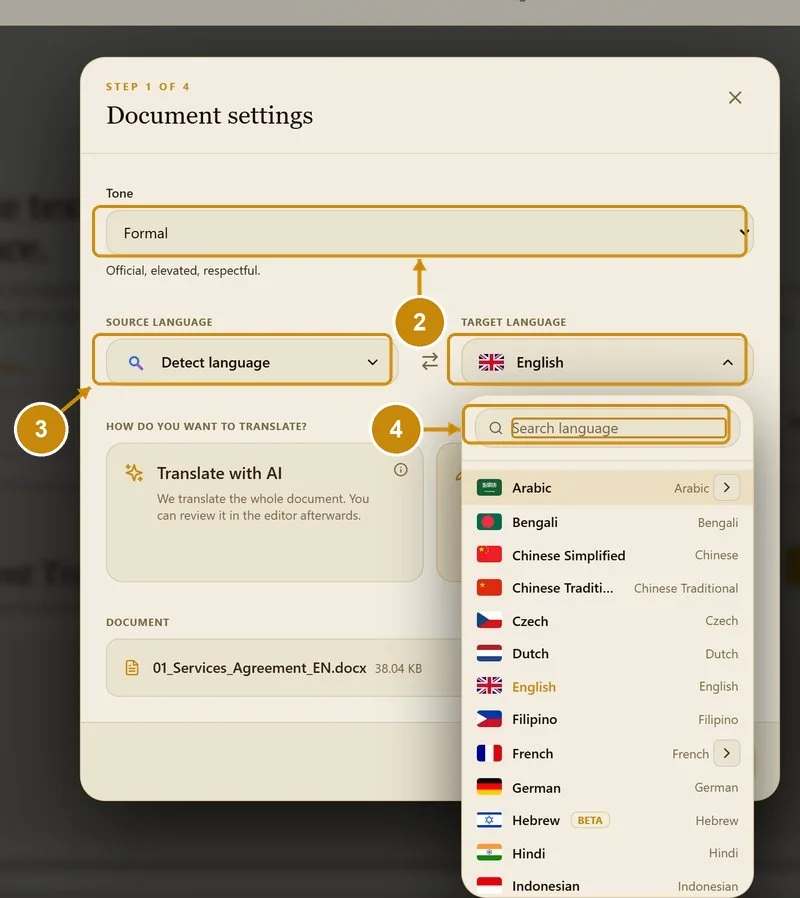
Choose the tone.
3
Choose the source language, or Detect language.
4
Choose the target language. Type in the search box to find it.
5
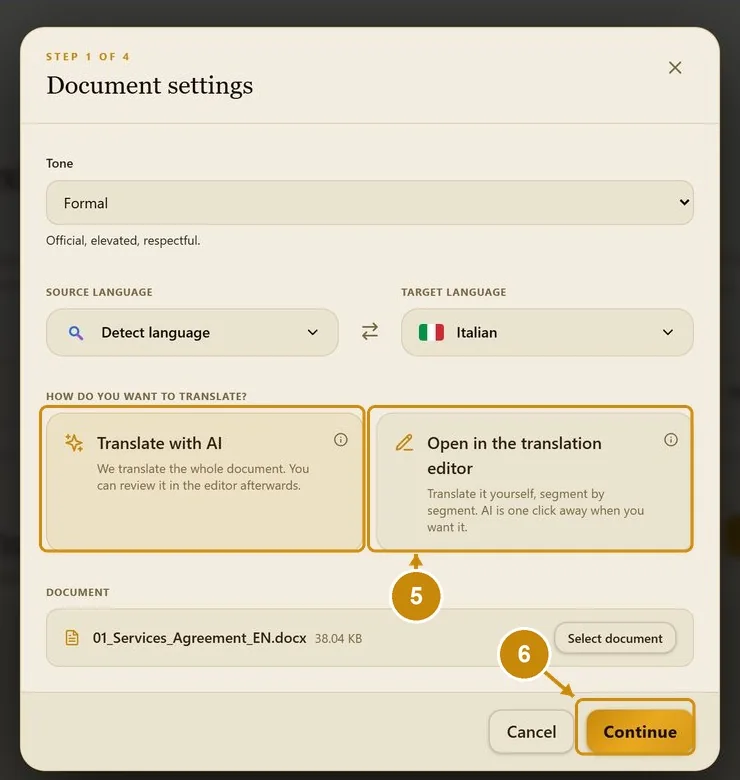
Choose how to translate: Translate with AI (whole document, review afterwards) or Open in the translation editor (translate yourself, AI on request).
6
Click Continue.
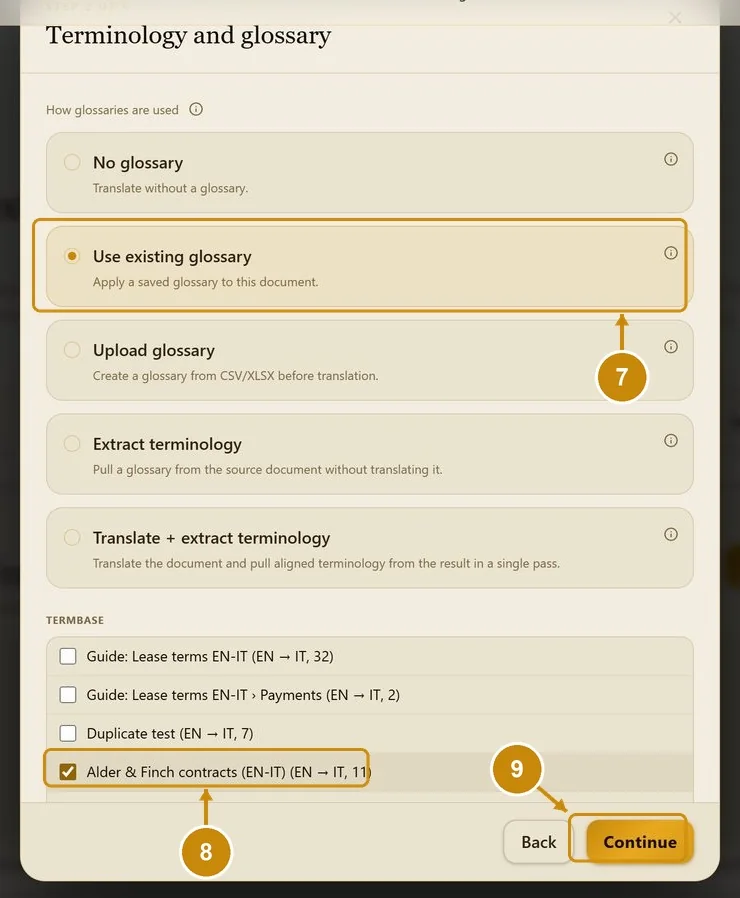
7
Choose the glossary option, for example Use existing glossary.
8
Tick the glossary to use.
9
Click Continue.
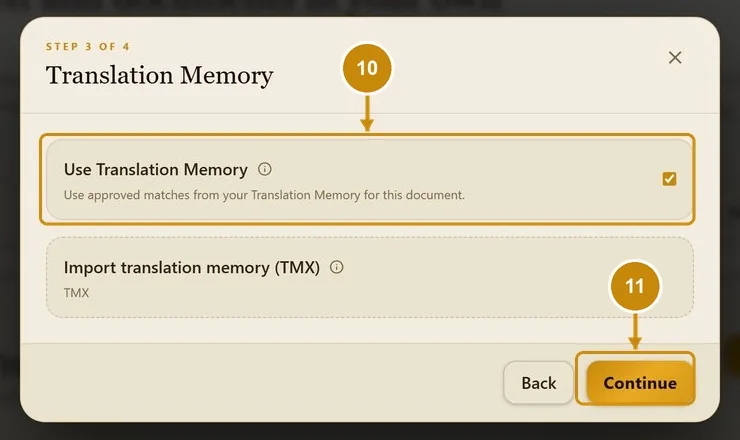
10
Keep Use Translation Memory ticked (or import a TMX for this job).
11
Click Continue.
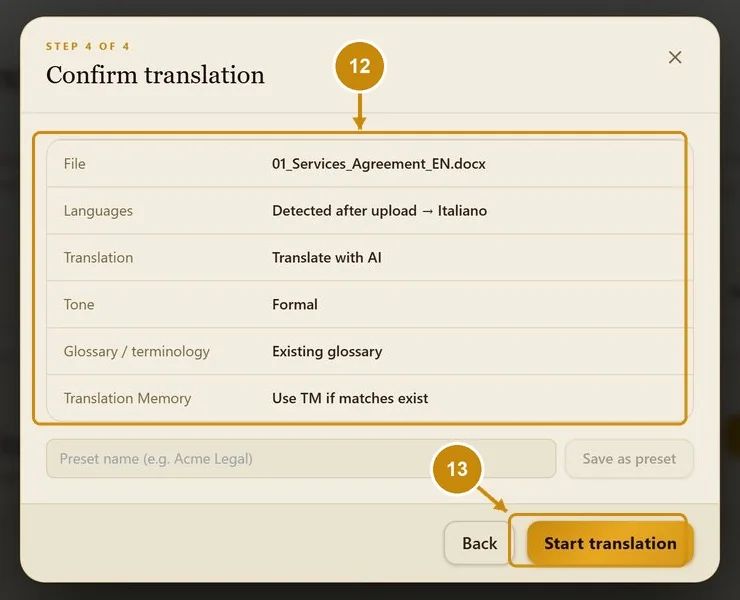
12
Check the summary.
13
Click Start translation. (You can also save these settings as a preset.)
14
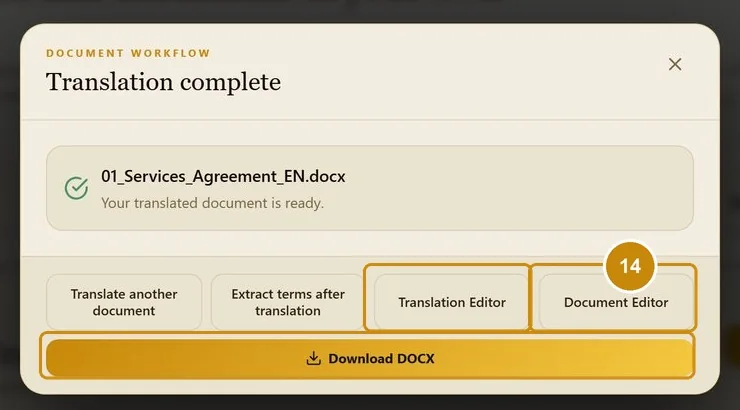
When it is ready, click Download DOCX, or open the Translation Editor or the Document Editor.