User guide
3. Terminology extraction (Terminology Database tab)
Extraction finds the key terms of a document and proposes translations. You approve the good ones into a glossary. Use the source file only, or add your existing translation so the targets come from it.
3.1 Extract from the source file only
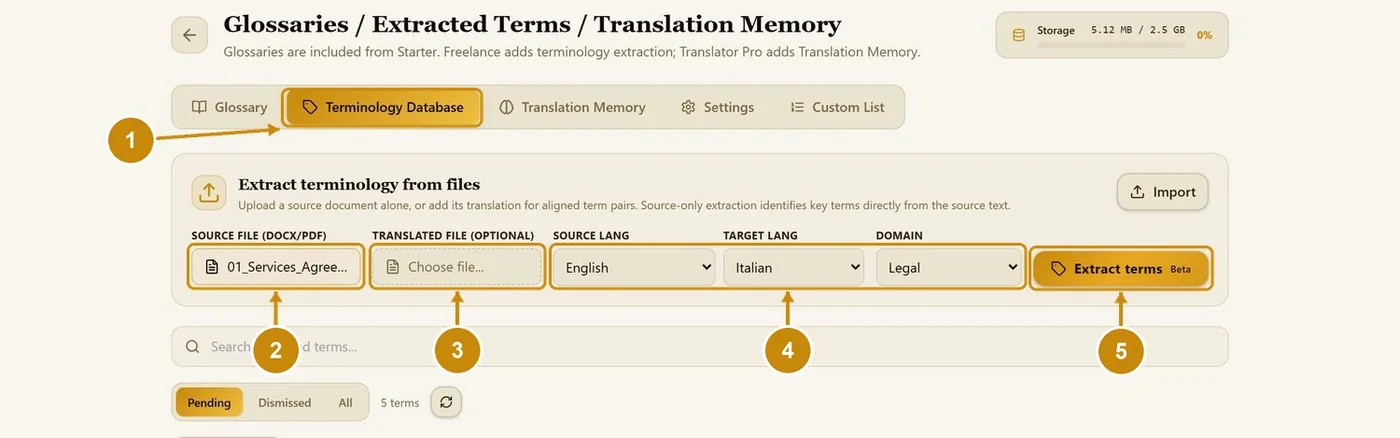
Open the Terminology Database tab.
Choose the source file (DOCX or PDF).
Leave Translated file empty.
Choose the source language, the target language and the domain.
Click Extract terms.
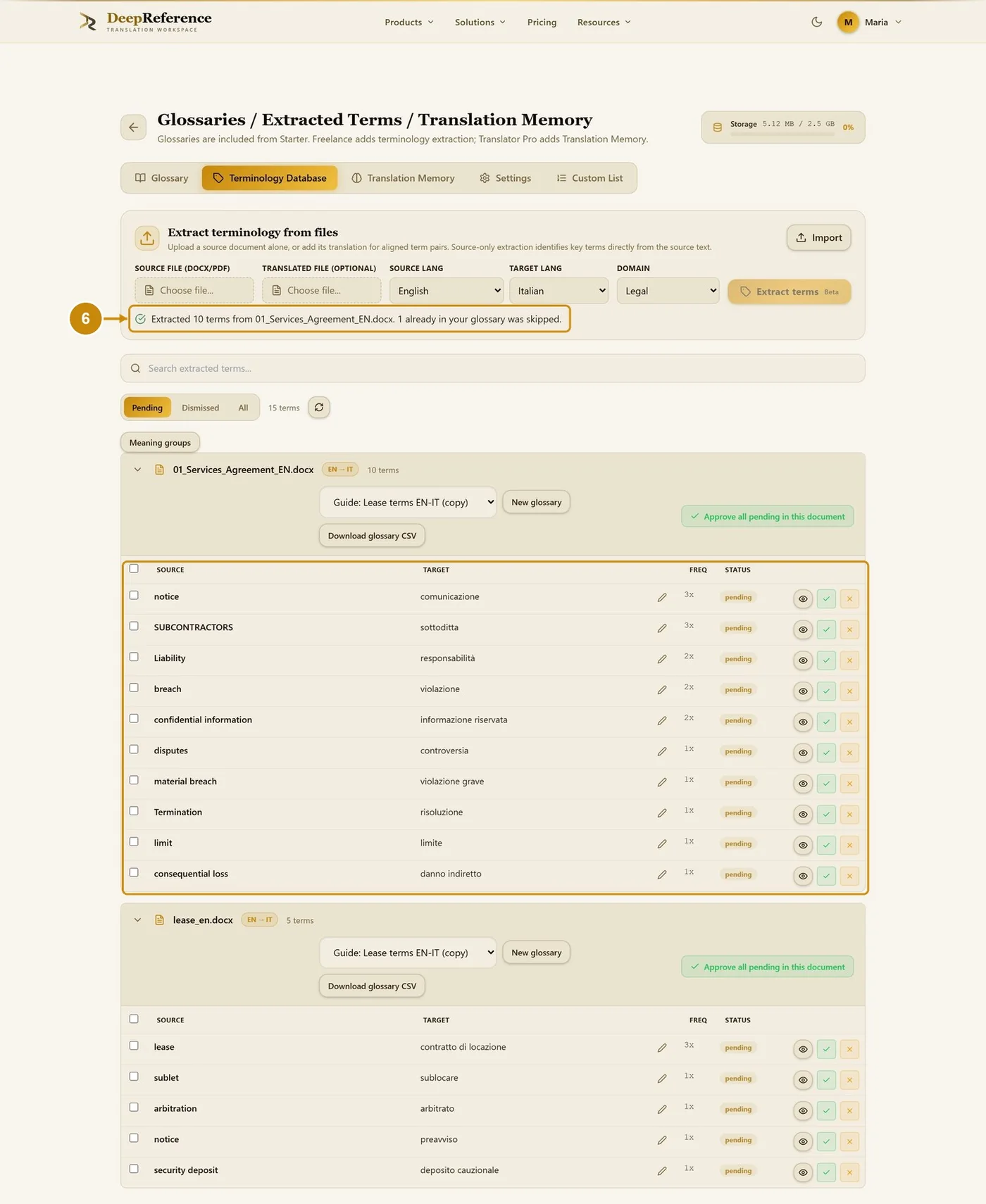
The extracted terms are listed under Pending, grouped by document.
3.2 Extract with a translated file
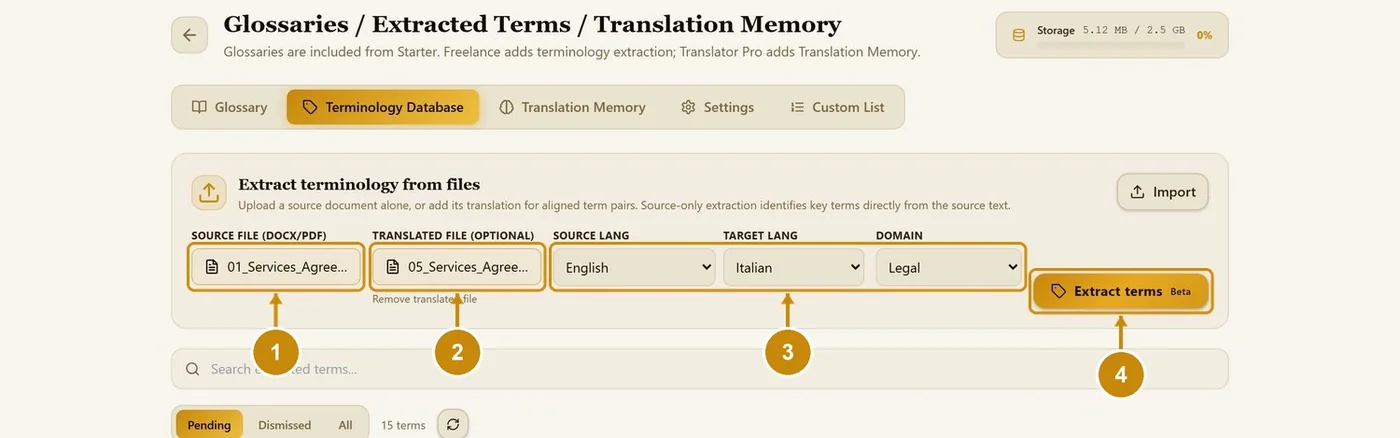
Choose the source file.
Choose the translated file (your existing translation of the same document).
Choose the languages and the domain.
Click Extract terms.
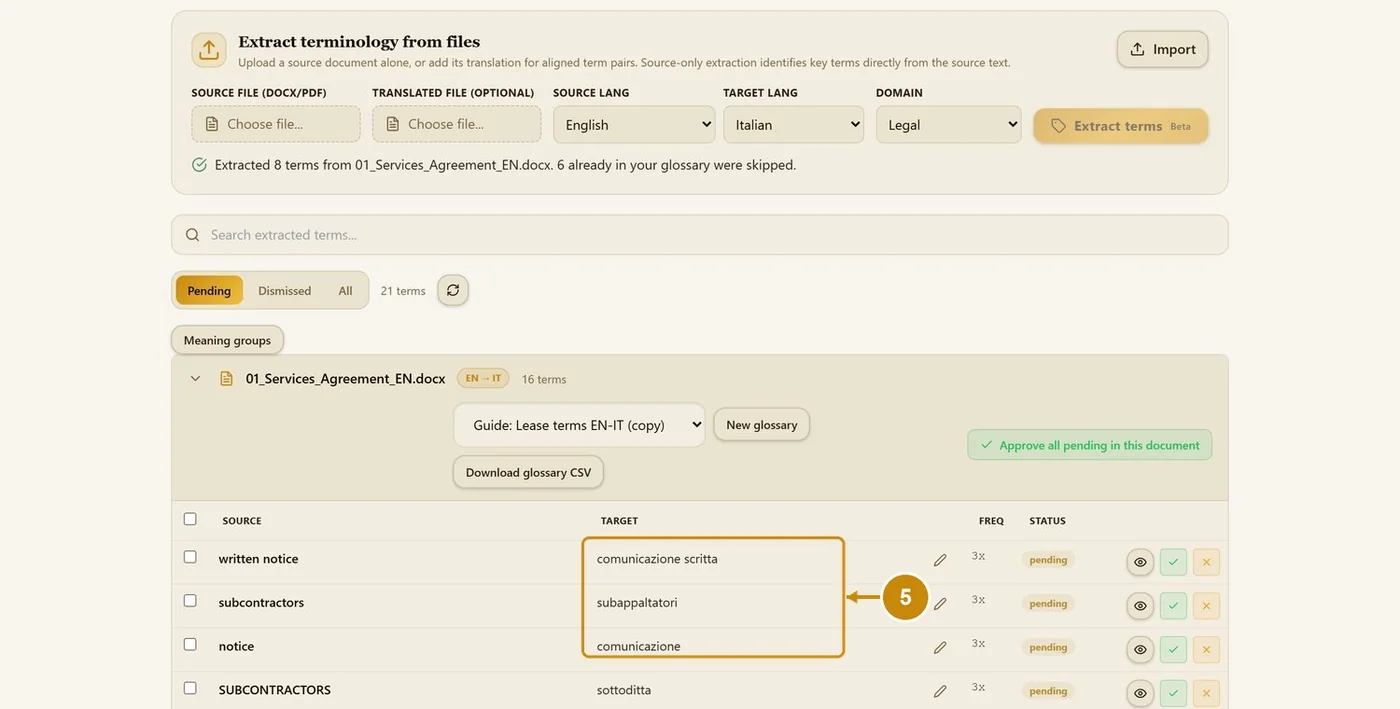
The targets come from your own translation.
3.3 Review the extracted terms
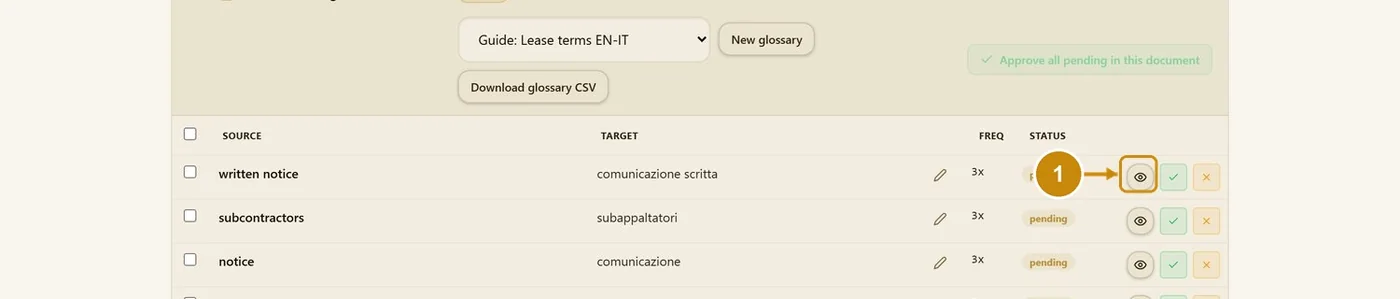
Click the eye on a term's row.
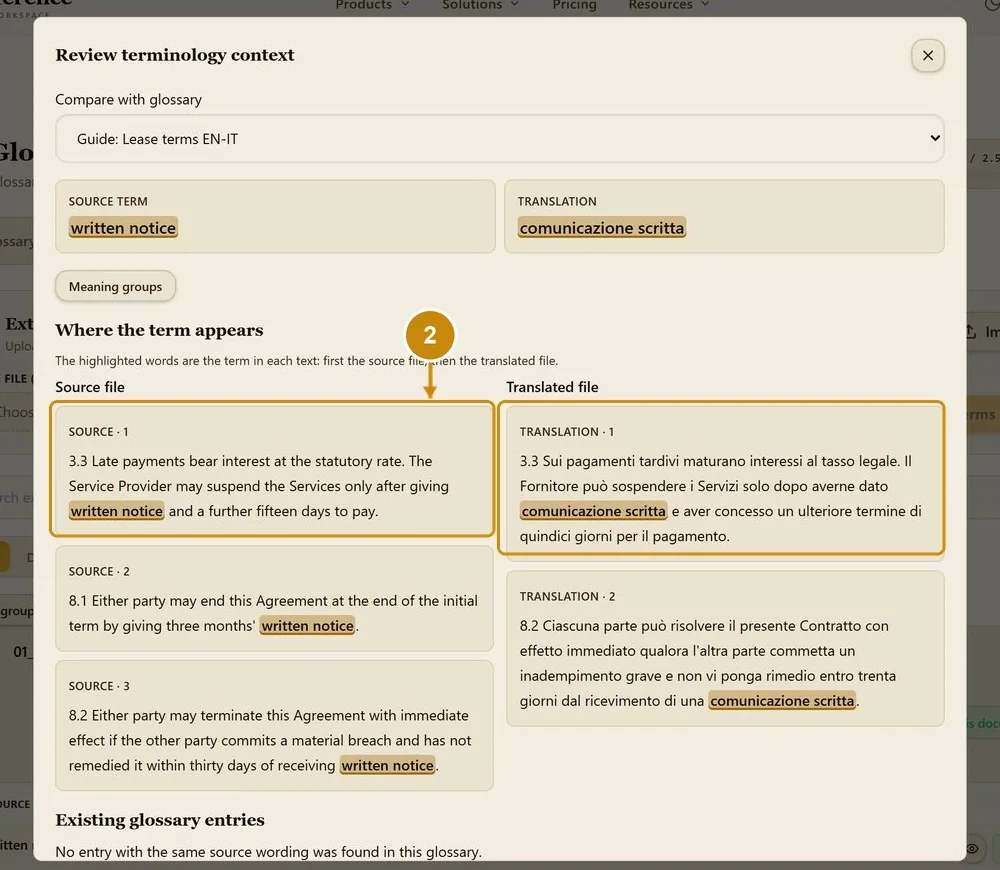
Every sentence with the term is shown, highlighted in the source and in the translation.
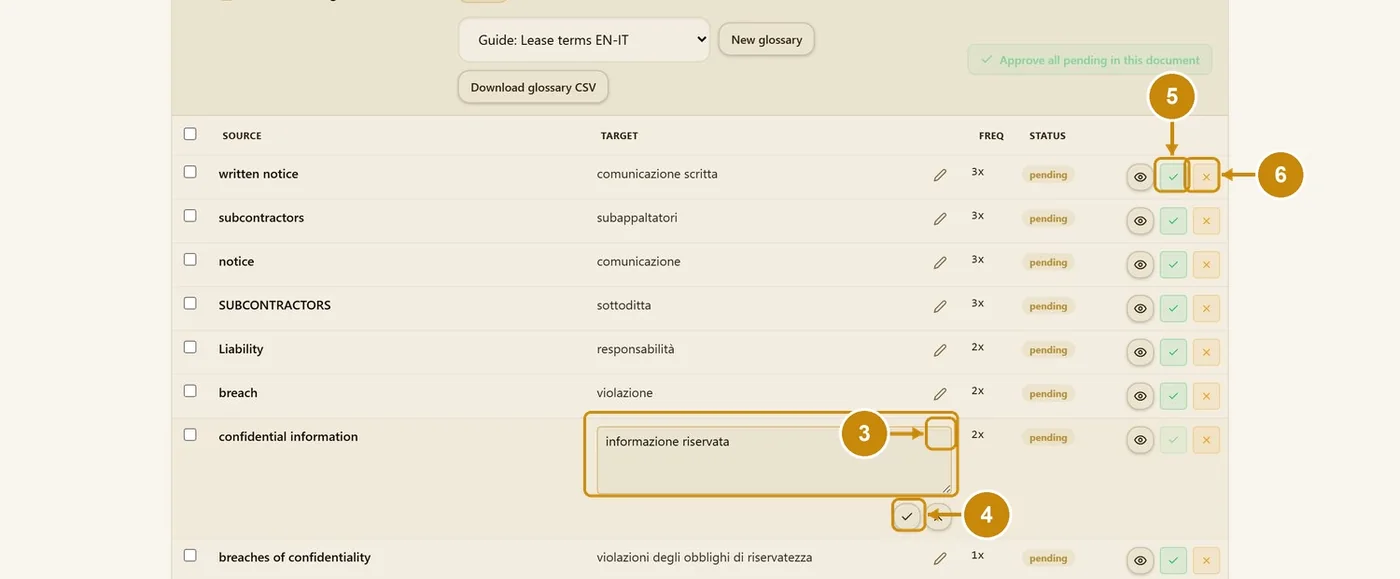
Click the pencil to correct a proposed translation.
Click the tick under the box to save it.
Click the tick on the row to approve the term into the glossary.
Click the cross to reject a wrong term.
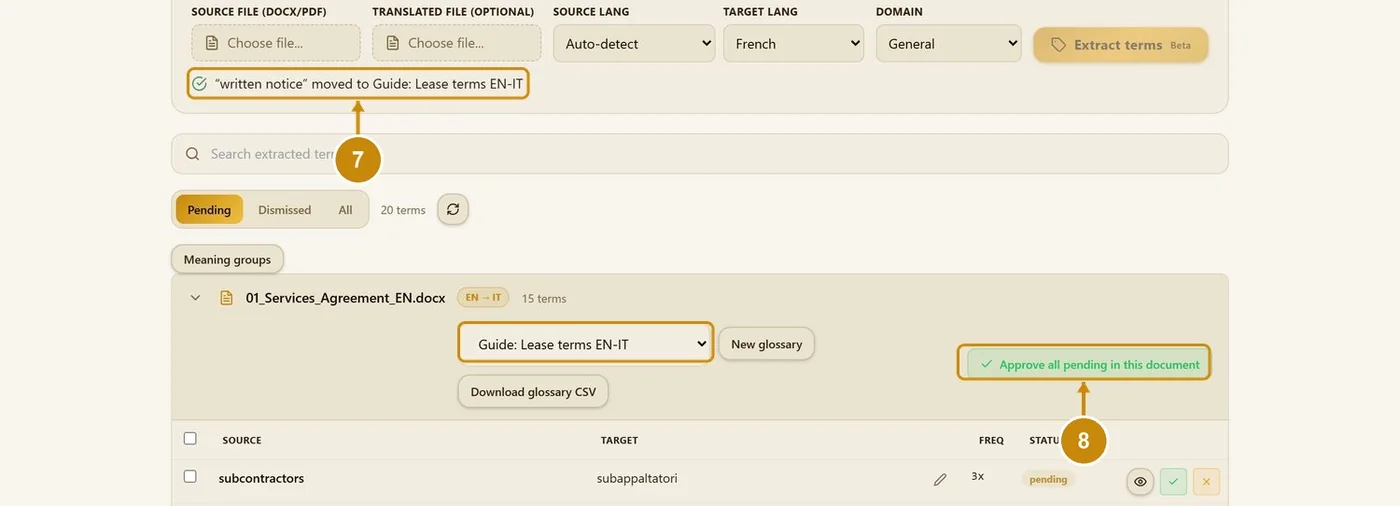
The approved term moves into the glossary chosen at the top of the document group.
Approve all pending in this document approves every remaining term at once.
3.4 Dismissed and All
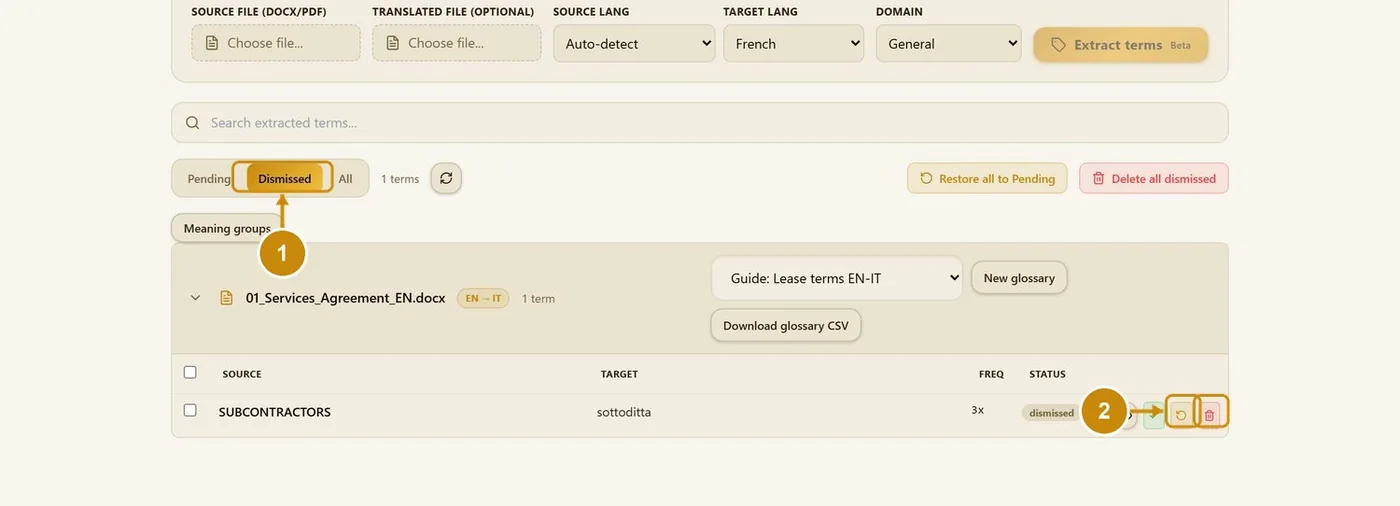
Click Dismissed to see the rejected terms.
Restore a term, or delete it.
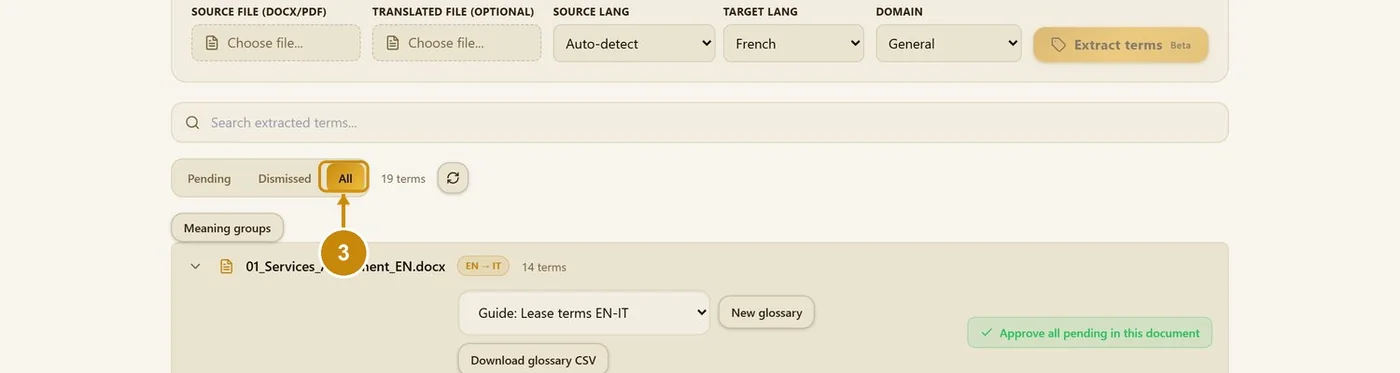
Click All to see pending, approved and dismissed terms together.
3.5 Meaning groups
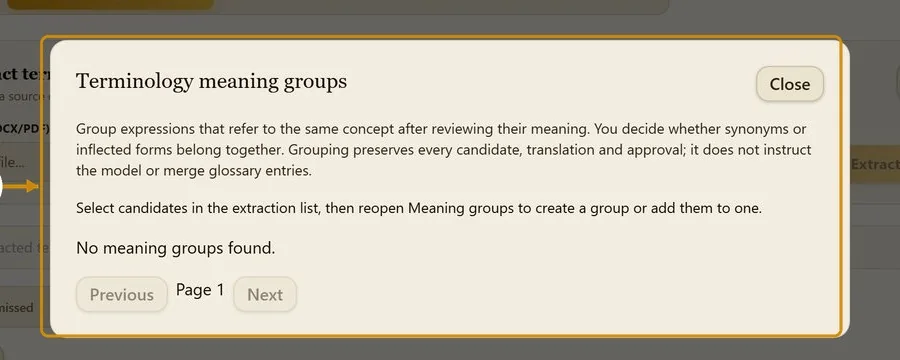
Meaning groups link expressions that mean the same thing (synonyms, inflected forms). Grouping keeps every candidate; it does not change glossary entries or the model.
Tick the terms that belong together.
Click Meaning groups.
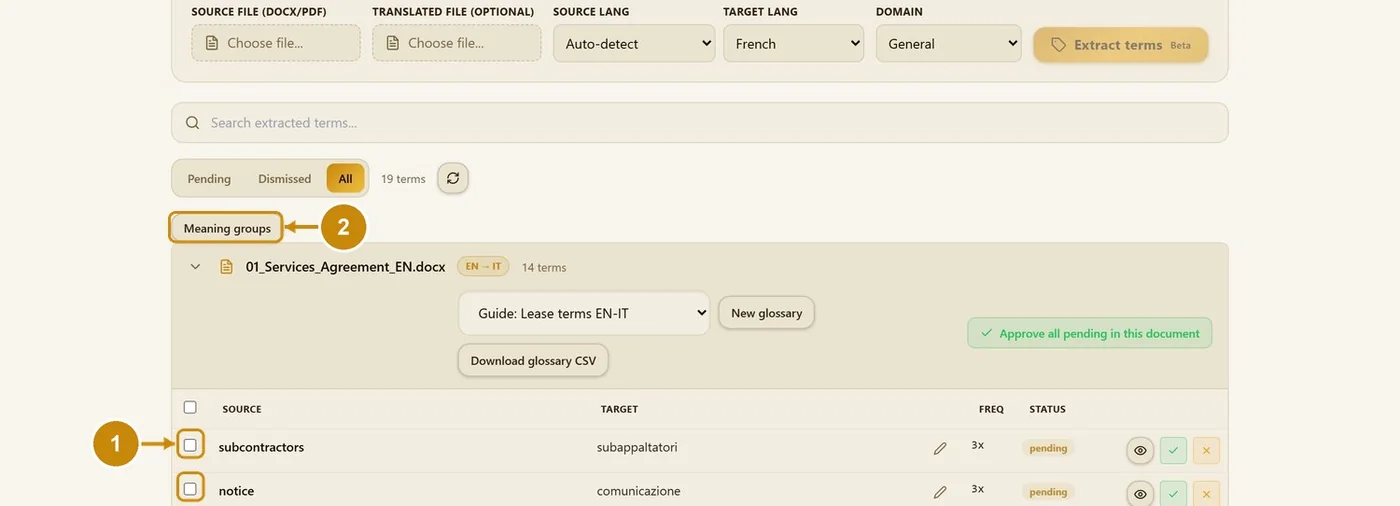
Create a group, or add the terms to an existing group.
3.6 Which domain to choose
The domain lets extraction read each term in the meaning of your field: "discovery" in a court case is not "discovery" in research. Choose the domain that matches the document:
- Legal: contracts and agreements, court documents, legislation, compliance documentation, intellectual property filings, and insurance documents (policies, claim files, underwriting notes).
- Financial: annual reports, financial statements, audit material, banking documents, risk disclosures.
- Medical: clinical reports, patient forms, research summaries, discharge notes, medical device instructions, consent documents, and pharmaceutical material (labels, clinical trial material, safety updates, regulatory submissions).
- Technical: software and API documentation, technical specifications, architecture documents, security policies, hardware manuals, and telecommunications documents (network specifications, installation guides, SLA documents).
- Manufacturing: SOPs, work instructions, quality manuals, product specifications, safety sheets, supplier documents.
- Automotive: service manuals, warranty documents, parts catalogs, diagnostic procedures, owner manuals.
- Energy: technical reports, grid documents, renewable energy studies, safety procedures, environmental reports.
- Government: policy papers, public notices, administrative letters, procurement documents, permits.
- Marketing: campaign copy, product pages, landing pages, social posts, email content, brand guidelines.
- General: anything else, or a document that mixes several fields.
The domain is used only for terminology extraction. It does not change how a document is translated: the tone and the glossary do that.